Navigating Loftie Clock
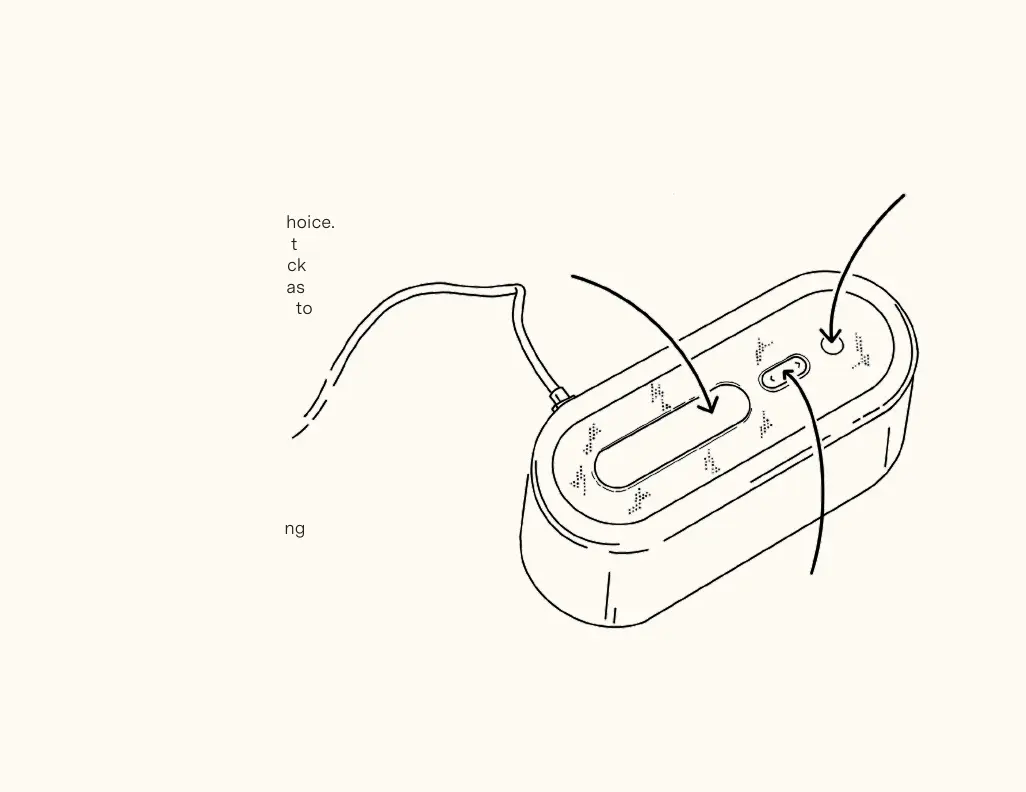
Snooze Button
Snoozes your alarm for the default 9
minutes or a duration of your choice.
Press it to turn on the nightlight
and hold it to black out the clock
face completely. It also serves as
a back button to take you back to
the previous menu.
Arrow Buttons
Use these buttons to navigate
Loftie Clock’s menu. Press and
hold either arrow button to bring
up the volume control.
Select Button
This button turns off the alarm
and plays the last sound you
used on Loftie Clock. You can
also use it to enter a menu or
confirm any changes.
Select Button
Arrow Buttons
Snooze Button


 To Next Page