Sound & Electronics LOG GmbH | Sankt-Georgen-Gasse 7, 8020 Graz, Austria | ofce@logaudio.com | www.logaudio.com
2
DIALOG
User Manual
Connecting external audio sources
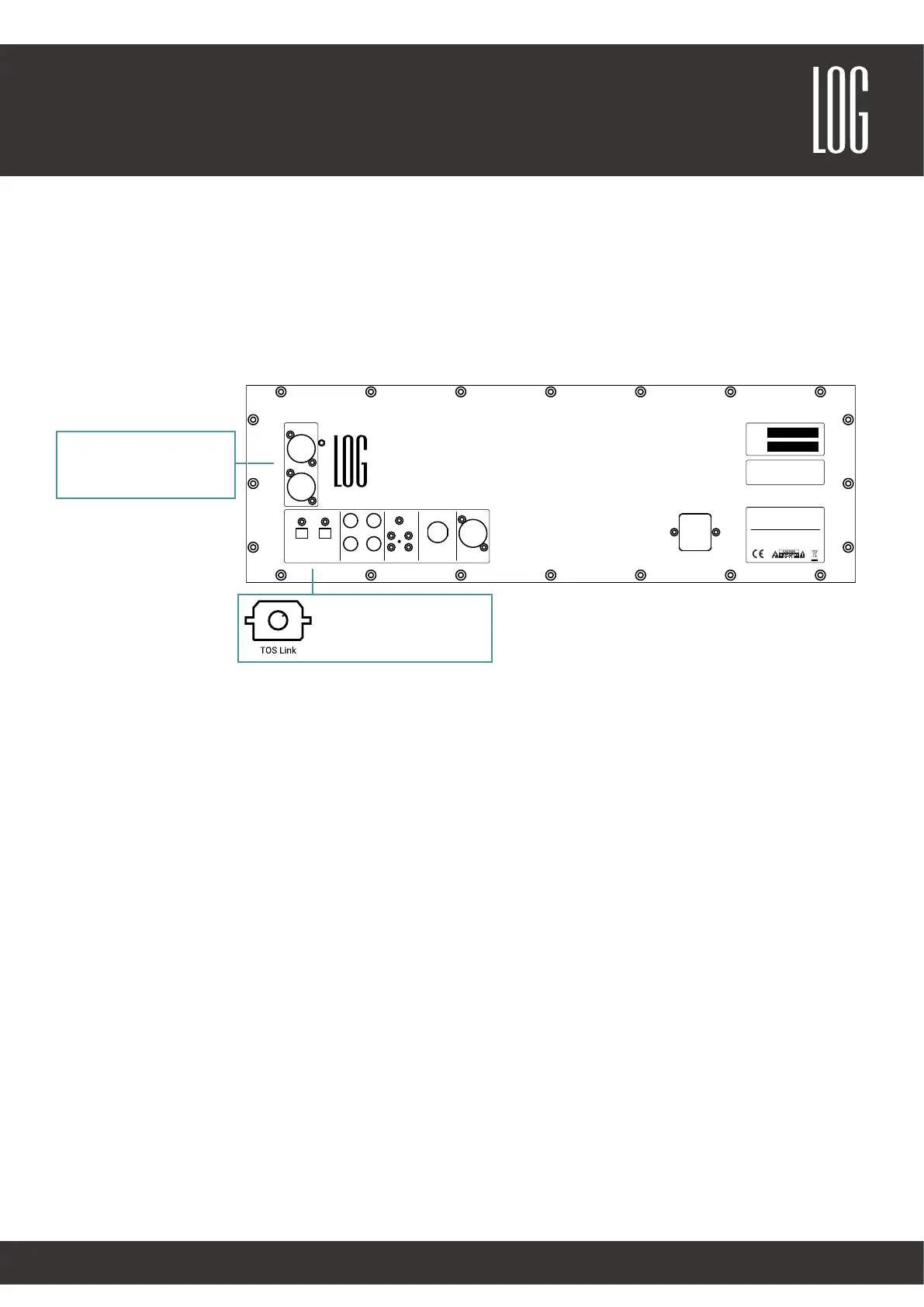
The DIALOG has digital and analog inputs on the back of the left speaker. External devices (such as TV, AV receivers,
etc.) should preferably be connected using a digital optical cable (TOSLINK cable) to ensure maximum sound quality. In
addition, the DIALOG also has an analog input (RCA) to connect all non-digital audio sources.
Switching the inputs
Switching the inputs is not necessary with the DIALOG. All input signals are played automatically. You can, for example,
listen to TV sound while streaming music from your smartphone at the same time. Be careful not to accidentally play
multiple sources at the same time.
1 x analog input (Cinch)
1
A
2 3 4 5 6 7 8
1 2 3 4 5 6 7 8
B
C
D
E
F
A
B
C
D
E
F
525
170
teileliste
Element
Anz
Bauteilnummer
Beschreibung
Material
1 1 DIA002BLEELAL1 Dialog 2 Elektronikblech Aluminium
2 20
BSOS-M3-14
Einpressbuchse M3 14mm Edelstahl
Rostfreier Stahl
Analog IN
R
L
Opt. Digital IN Right Speaker OUT IR Pairing Service LAN AC~
Sound & Electronics LOG GmbH
www.logaudio.com
Designed and manufactured in Austria
DIALOG I
Digitally Optimized Active Stereo Soundsystem
50 / 60 Hz
115 - 230 V
max. 900 W
Serial
Type
CAUTION: TO REDUCE THE RISK OF FIRE OR ELECTRIC SHOCK
DO NOT REMOVE COVER
NON SERVICEABLE PARTS INSIDE
DO NOT EXPOSE THIS EQUIPMENT TO WATER OR MOISTURE
REFER SERVICING TO QUALIFIED PERSONEL
WARNING
This equipment is capable of delivering sound pressure levels
considerably higher than 90dB (SPL), which may cause
permanent hearing damage.
2 x optical digital input



 To Next Page