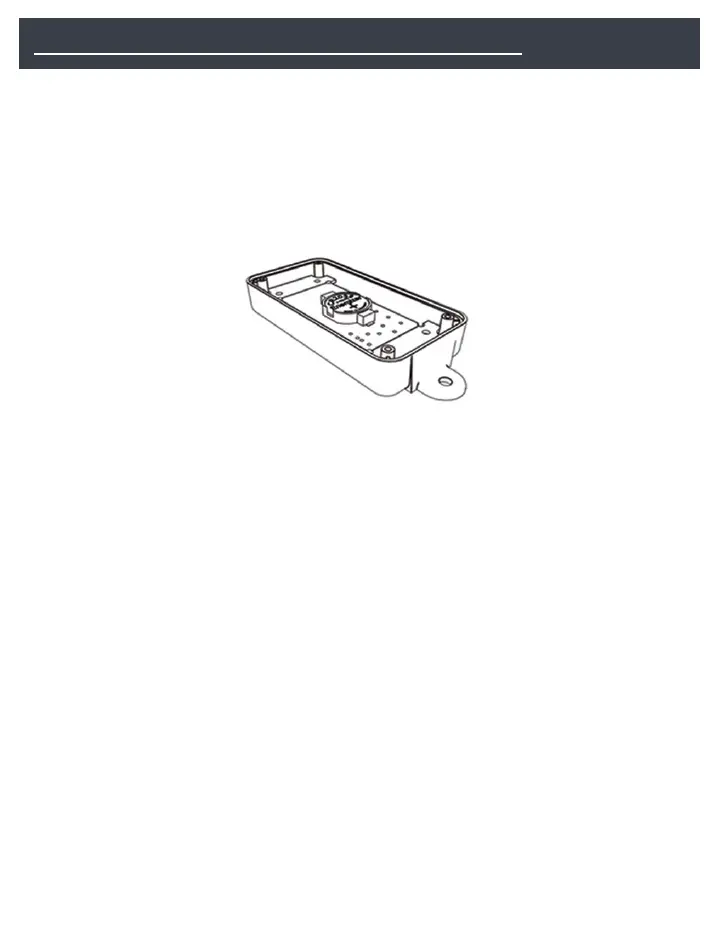
1) Remove the 4 screws on the lid, remove the lid and set aside.
2) Remove the battery from the packaging and install it with the plus
(+) sign up as in figure 1. The LevelMatePRO+ uses a CR2450
battery.
figure 1
3) Reinstall the lid with the 4 screws you removed in step 1.
Be sure to install the lid so that the arrows on the top cover are pointing in the
same direction as the arrow printed on the circuit board.
4) Go to the appropriate app store and download the app
In your app store, search for “levelmatepro” to locate the app. Download the app
on each of the devices you plan to use with the LevelMatePRO+.
NOTE: Android users will use the ‘Back’ button on the phone for navigating to
the previous screen and there will be no on screen ‘Back’ buttons for navigating
to the previous screen as there are in the iOS version of the app. This is
mentioned because the screenshots used in this manual were taken from the
iOS app and show ‘Back’ buttons that Android users will not see in their version
of the app.
5) Slide the on/off switch to the ON position
You will hear 2 beeps confirming that the unit is on. If you don’t hear 2 beeps
then slide the on/off switch in the opposite direction. If you still don’t hear 2
beeps after trying the on/off switch in both directions then either the battery is



 To Next Page