EasyManua.ls Logo

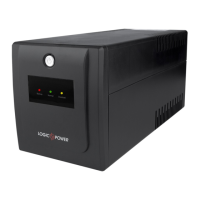
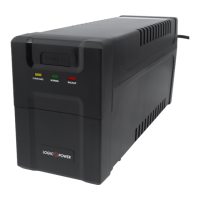
LogicPower LP-650VA-P - User Manual

LogicPower LP-650VA-P
22 pages
Print Icon
To Next Page IconTo Next Page
Loading...
WWW.LOGICPOWER.UA
Uninterruptible power supply
Линейно - интерактивный источник
бесперебойного питания
MODEL/МОДЕЛЬ
LP - 650VA-P
LP - U650VA-P
USER MANUAL / РУКОВОДСТВО ПОЛЬЗОВАТЕЛЯ

Questions and Answers

  • S
    Stephen MccartyAug 3, 2025
    What to do if my LogicPower LP-650VA-P Power Supply can not be turned ON?
    • A
      alexandergreerAug 4, 2025
      If your LogicPower Power Supply doesn't turn on, several factors could be at play. It might not be connected to AC power or is overloaded; in this case, connect it to AC and reduce the load. The input fuse might be burnt, or the breaker might be off; replace the fuse or reset the breaker, remove some load, and check for short circuits or faults. Alternatively, the AC input voltage could be too low, or the UPS itself might have failed; in these cases, it should be sent to the agency for repair.
  • K
    Kyle ChaseAug 11, 2025
    Why is the backup time less than specified on my LogicPower LP-650VA-P Power Supply?
    • G
      gcastroAug 11, 2025
      If the backup time of your LogicPower Power Supply is shorter than expected, it could be due to several reasons. The device might be overloaded, in which case you should reduce the load. Alternatively, the battery may not be fully charged; try recharging it for at least 12 hours and then retest the backup time. If neither of these resolves the issue, there may be a charging unit fault, requiring repair by the agency.
  • C
    Charles ZunigaAug 18, 2025
    What to do if the red LED is continuously bright with a beep every 8 seconds on my LogicPower LP-650VA-P Power Supply?
    • B
      Brian WilliamsAug 18, 2025
      If the red LED on your LogicPower Power Supply is continuously lit and beeping every 8 seconds, save your data promptly and shut down the operating system.
  • G
    garybushAug 27, 2025
    What to do if the red LED is continuously bright with a beep every 1 second on my LogicPower Power Supply?
    • E
      ebrownAug 27, 2025
      If the red LED on your LogicPower Power Supply is continuously bright and beeping every 1 second, close the system and recharge it again.

Summary

UPS Installation and Operation

Package Contents

Lists essential items included in the UPS package such as the user manual, UPS unit, and mains cable.

Device Overview and Indicators

Details the front panel components including the on/off button and various status indicators like battery and overload lights.

Unpacking and Inspection

UPS Installation Guidelines

Connecting UPS to Power Source

Connecting Equipment to UPS Output

Important Safety Notices and Warnings

Battery Charging and Maintenance

Battery Charging Procedures

Information on initial battery charging, self-discharge, and factors affecting battery life, stating it takes over 12 hours.

Battery Maintenance Support

Guidance on lead-acid battery care, factors reducing lifespan, and the recommendation for periodic discharge.

Troubleshooting Common UPS Issues

Technical Specifications Overview

UPS Indicator Lights and Controls

Warranty Service Conditions

LogicPower LP-650VA-P Specifications

General IconGeneral
TypeLine-interactive
Active Power390 W
Frequency50/60 Hz
Transfer Time4-8 ms
Full Power650 VA
Battery TypeLead-acid battery
Battery Recharge Time6 hours
Operating Temperature0 - 40 °C
Humidity90% (non-condensing)