EasyManua.ls Logo

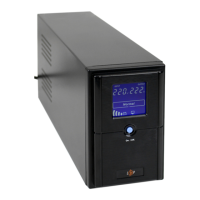
LogicPower LPM-L625VA - User Manual

LogicPower LPM-L625VA
24 pages
Print Icon
To Next Page IconTo Next Page
Loading...
WWW.LOGICPOWER.UA
Uninterruptible power supply
Линійно-інтерактивне джерело
безперебійного живлення
MODEL/МОДЕЛЬ
LPM - L625VA/UL625VA
LPM - L825VA/ UL825VA
LPM - L1100VA/UL1100VA
LPM - L1250VA/ UL1250VA
LPM - L1550VA/ UL1550VA
USER MANUAL / КЕРІВНИЦТВО КОРИСТУВАЧА

Questions and Answers

  • L
    loriatkinsonAug 9, 2025
    Why is the LogicPower UPS backup time less than specified?
    • D
      dchristensenAug 10, 2025
      If the LogicPower UPS backup time is less than specified, it might be due to overloading. Please reduce the load. Alternatively, the battery may not be fully charged; recharge it for at least 12 hours and retest the backup time. A charging unit fault may also be the cause, requiring repair by a qualified service agency.
  • L
    Leonard WhiteAug 23, 2025
    What to do if my LogicPower LPM-L625VA UPS can not be turned ON?
    • D
      Devin WilliamsAug 25, 2025
      If your LogicPower UPS can't be turned on, it might not be connected to AC power or is overloaded. Please connect it to AC and reduce the load. Another cause could be a burnt input fuse or a tripped breaker. Replace the fuse or reset the breaker, remove some load, and check for short-circuits or faults in the load. If the AC input voltage is too low, or if the UPS has failed, please send it to a qualified service agency for repair.

LogicPower LPM-L625VA Specifications

General IconGeneral
BrandLogicPower
ModelLPM-L625VA
CategoryUPS
LanguageEnglish