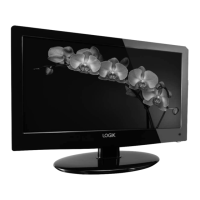
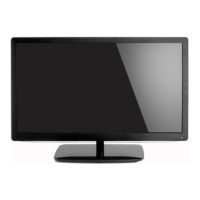
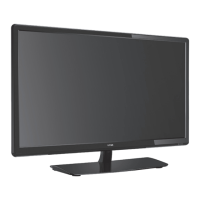
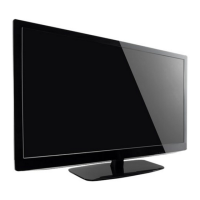
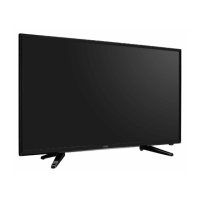
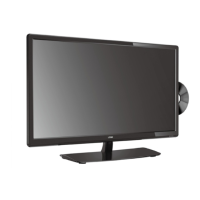
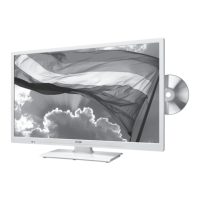
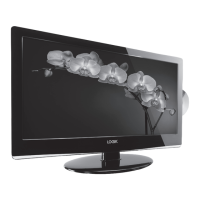
The device is a Logik 19" HD Ready Digital LED TV, model L19LDIB11. It's designed for home entertainment, offering a range of features for viewing digital television, connecting external AV devices, and playing multimedia content from USB storage.
Function Description
The TV serves as a primary display for various video and audio sources. It supports both Digital Television (DTV) and Analogue Television (ATV) modes, allowing users to tune into available channels. Its "HD Ready" designation indicates compatibility with high-definition signals up to 1080p, though the native display resolution is 1366 x 768 pixels, meaning 1080p content will be scaled to fit the screen.
A key feature is the Electronic Programme Guide (EPG), which provides programme listings, start and end times, and detailed information for digital services for up to 7 days. This helps users navigate viewing options and schedule recordings.
The TV also includes a Personal Video Recorder (PVR) function, enabling users to record DTV programmes onto a connected USB storage device for later viewing. A "Time Shift" function allows for pausing and rewinding live TV broadcasts.
For multimedia playback, the TV supports playing photos, music, movies, and text files directly from a USB storage device. This "DMP mode" (Digital Media Player) allows users to browse and enjoy their personal media collections.
Teletext is available in both ATV and DTV modes, offering up-to-the-minute information on news, weather, and TV programmes.
The Common Interface (CI) slot allows for the insertion of a Common Access Module (CAM) and viewing card, enabling access to scrambled (pay-to-view) services from service providers like TopUp TV (UK only).
CEC (Consumer Electronics Control) functionality is included, allowing users to command and control multiple CEC-enabled devices connected via HDMI using a single TV remote control.
Important Technical Specifications
- Model: L19LDIB11
- Panel System: 19 inch LED Backlit LCD Panel
- Display Resolution: 1366 pixels (horizontal) x 768 pixels (vertical)
- Television System: PAL I / BG / DK SECAM L / BG / DK
- Brightness: 200 cd/m²
- Contrast Ratio: 1000:1
- Power Source: DC 12V 3A
- Energy Efficiency Class: B
- Screen Size (measured diagonally): Approx. 47 cm (18.5 inch)
- Power Consumption (In HOME / STANDBY mode): 23 W
- Average Annual Energy Consumption: 33 kWh
- Standby Power Consumption: 0.4 W
- Operating Temperature: 0°C - 40°C
- Operating Humidity: 10% - 80%
- Mercury Content (mg): X (not applicable or not specified)
- Presence of Lead: √ (indicates presence)
- Reference Period: 2010/1062 - 2011
- Speaker Power: 3W + 3W
- Dimensions (W x D x H) with base: 458 x 180 x 350 mm
- Weight (Net): 2.8 kg
Inputs / Outputs:
- SCART: 1
- HDMI: 2
- VGA: 1
- PC AUDIO: 1
- YPbPr: 1
- Common Interface: 1
- AV: 1
- USB: 1
- Aerial: 1
USB Storage Device Compatibility:
- Maximum supported storage space: 250 GB
- File system support: FAT32 format only
- Minimum transfer rate for DTV programme recording: 5MB/s
Usage Features
Initial Setup:
Upon first power-on, the TV guides the user through selecting the OSD language and country, followed by automatic channel tuning for DTV and ATV.
Input Source Selection:
Users can select from various input sources (DTV, ATV, SCART, YPbPr, PC, HDMI1, HDMI2, AV, DMP) via the INPUT button on the remote or side panel.
Channel Management:
- Auto Tuning: Automatically finds and stores all available channels.
- DTV/ATV Manual Tuning: Allows for fine-tuning adjustments for channels.
- Channel Edit: Enables users to delete, rename (for ATV channels), move, skip, or mark channels as favourites.
Picture Customisation:
- Picture Mode: Cycles through Standard, Mild, User, and Dynamic modes.
- Adjustable Settings: Contrast, Brightness, Colour, Sharpness, and Tint (for NTSC format) can be adjusted in User mode.
- Colour Temperature: Options include Medium, Cool, User, and Warm, with independent Red, Green, and Blue tint adjustments in User mode.
- Aspect Ratio: Various viewing formats are available: Auto, 4:3, 16:9, Zoom, Subtitle, and Smart Zoom.
- Noise Reduction: Reduces noise levels for connected devices (Off, Low, Middle, High).
- Screen (PC Mode): Auto Adjust, Horizontal/Vertical Position, Size, and Phase adjustments for PC desktop content.
Sound Customisation:
- Sound Mode: Selects audio-enhancement techniques: Standard, Music, Movie, Sports, and User.
- Adjustable Settings: Treble and Bass can be adjusted in User mode.
- Balance: Adjusts relative volume between speakers.
- Auto Volume: Automatically controls volume levels (e.g., for advertisements).
- SRS TruSurround HD™: Provides enhanced multichannel virtualisation for an immersive listening experience.
- AD Switch (Audio Description): Activates an auxiliary audio track for visually challenged persons (if available).
- Stereo / Dual Sound Reception (ATV Mode): Allows selection between Mono, Stereo, NICAM DUAL I, NICAM DUAL II, and NICAM DUAL I+II for programmes broadcast in multiple languages.
Time Settings:
- Clock: Automatically set when receiving a digital signal.
- Off Time / On Time: Schedule automatic TV power off/on.
- Sleep Timer: Automatically switches the TV to standby after a preset time (10 to 240 minutes).
- Auto Standby: Automatically switches to standby mode 4 hours after the last remote control use.
- Time Zone: Sets TV time based on Time Zone and GMT offset.
LOCK Setting:
- Lock System: Prevents accidental retuning or access to unsuitable programmes. Requires a 4-digit password (default "6666", master password "9527").
- Set Password: Change the lock password.
- Block Channel: Blocks specific channels, requiring a password to access.
- Parental Guidance: Sets age ratings (Off, 4-18) to block programmes based on broadcasting information.
Software Update:
- Over Air Download (OAD): Automatically detects and allows firmware upgrades via DTV signal.
- Software Update (USB): For servicing purposes; updates can be installed via USB.
Restore Factory Default:
Resets all TV settings to their original factory defaults.
Maintenance Features
Cleaning:
- Screen and Surfaces: Use a soft dry cloth for dust. For dirty surfaces, use a cloth dipped in weak soapy water, wrung until almost dry. Ensure no excess water on the screen and allow to evaporate before switching on.
- Prohibited Cleaners: Do not use alcohol, benzine, paint-thinner, cleaning fluid, other chemicals, or compressed air.
General Care:
- Power Disconnection: Always disconnect the mains adapter before connecting/disconnecting other devices, moving the unit, or during a lightning storm. Disconnect the mains adapter when not in use for long periods.
- Remote Control Batteries: Use AAA batteries, ensuring correct polarity. Replace both batteries simultaneously when exhausted. Dispose of used batteries according to local regulations. Keep loose batteries away from children.
- Unit Placement: Place on a flat, stable surface, away from vibrations, heat sources (radiators, gas/electric fires, direct sunlight), and moisture (rain, splashing). Ensure adequate ventilation (at least 10 cm on sides, 20 cm on top) and do not place in confined spaces.
- Screen Burn Prevention: LCD screens can develop permanent after-images (screen burn) if static images are displayed for long periods. Avoid displaying black bars, stationary channel logos, time displays, teletext pages, TV menus, or leaving the screen in pause mode for extended durations. Reduce contrast and brightness when viewing static content.
Troubleshooting (Hints and Tips):
The manual provides a comprehensive troubleshooting section for common issues such as:
- TV not responding or switching on.
- Remote control not working.
- Sudden power off.
- No picture/sound, poor picture quality, horizontal/vertical bars, or picture shaking.
- Poor reception on some channels.
- Lines/streaks in pictures.
- No pictures when connecting HDMI.
- Picture appearing in wrong ratio.
- Audio function not working (no sound, no output from speakers, unusual sound, no sound with HDMI, audio noise).
- Lost password (master password "9527" provided).
- PC mode issues (signal out of range, vertical bar/stripe, horizontal noise, incorrect position, unstable/single colour screen).
- Lost channels, "blocking" on digital picture, Freeview reception with portable aerial, and aerial type recommendations.

 Need help?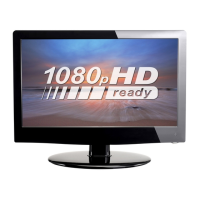

 To Next Page
 General