
 Need help?
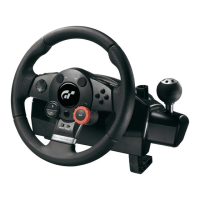
Do you have a question about the Logitec Driving Force GT and is the answer not in the manual?
Connect the steering wheel base to the power adapter and the PC/console via USB.
Connect the pedal unit to the steering wheel base.
Connect the steering wheel base to your gaming platform.
 General
| Force Feedback | Yes |
|---|---|
| Wheel Rotation | 900 degrees |
| Pedals | Accelerator and Brake |
| Connectivity | USB |
| Paddle Shifters | Yes |
| Interface | USB |
| Power Source | USB powered |
| Compatibility | PlayStation 3, PC |
| Buttons | 11 buttons |
| Mounting | Clamp |
| Shifter | Sequential |
| Type | Steering Wheel |

 To Next Page