Logitech Solar Keyboard Folio
English 7
Typing position Use for entering text.
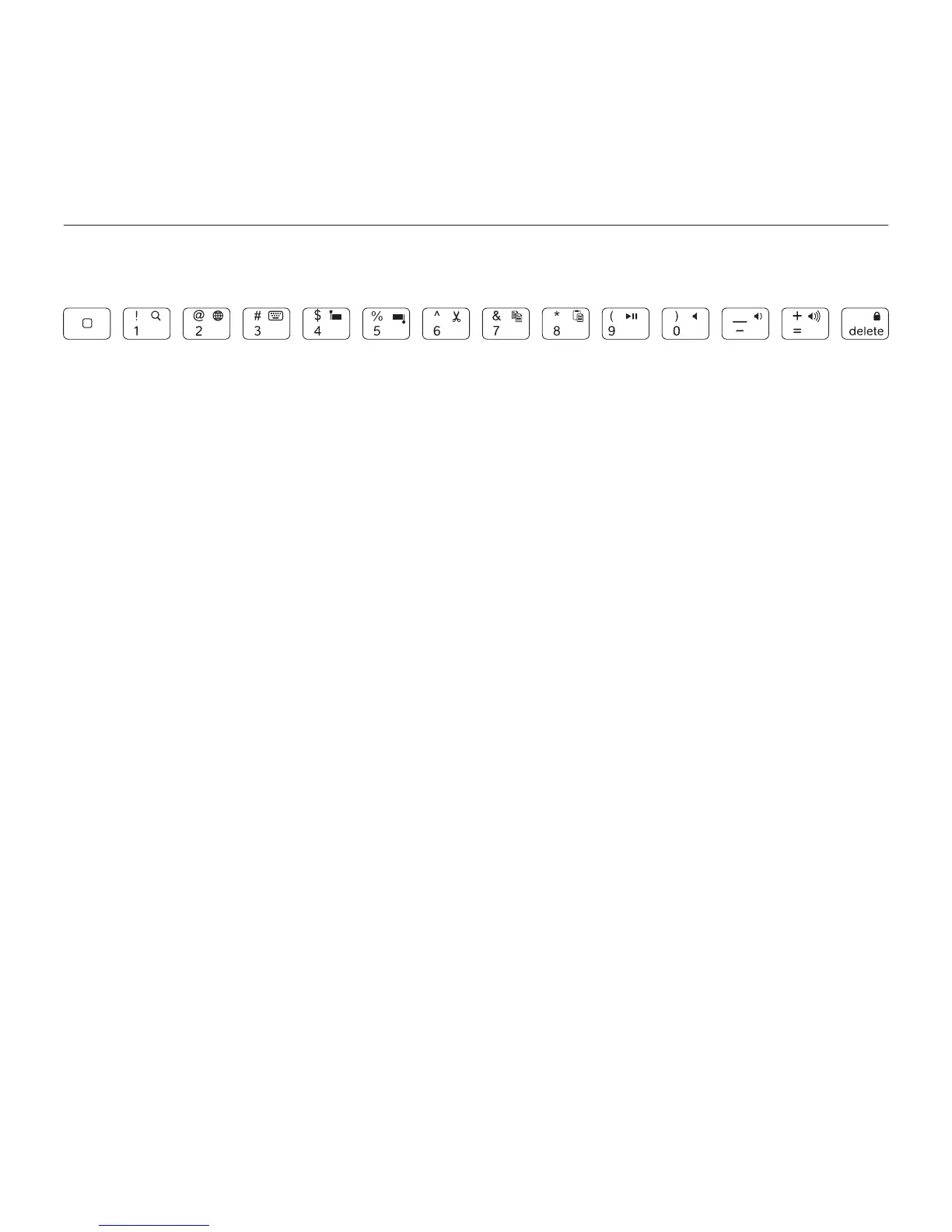
In the typing position, the Keyboard Folio provides a Home key and 13 function keys:
1. Home Displays the iPad Home screen.
Function keys To use, press and hold
the Fn key, and then press a key listed
below.
2. Fn + 1 = Search Launches the iPad
search function.
3. Fn + 2 = Switch language
Switches keyboard language.
4. Fn + 3 = Virtual keyboard
Shows/hides the virtual keyboard.
5. Fn + 4 = Select left Selects text
on the left, word by word.
6. Fn + 5 = Select right Selects text
on the right, word by word.
7. Fn + 6 = Cut
8. Fn + 7 = Copy
9. Fn + 8 = Paste
10. Fn + 9 = Play/Pause
11. Fn + 0 = Mute
12. Fn + dash = Volume down
13. Fn + plus = Volume up
14. Fn + delete = Lock screen
Locks or unlocks the iPad screen.
1 2 3 4 5 6 7 8 9 10 11 12 13 14



 To Next Page