Need help?
Do you have a question about the Logitech G FLIGHT INSTRUMENT PANEL and is the answer not in the manual?
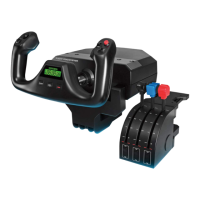
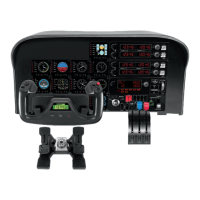
Describes installing the panel using its stand or mounting bracket, including integration with the Flight Yoke System.
Guide to download and install drivers for Windows 10, 8.1, 7, including USB connection steps.
Process for assigning instrument displays within FSX, covering plug-in prompts and recognition troubleshooting.
Explains the role of the six buttons on the Instrument Panel for accessing cockpit screens and displays in FSX.
Details connecting multiple panels to a secondary PC over LAN for improved FSX performance and resource management.
Guide to editing the SimConnect.xml file on the server with network parameters for remote instrument panel connections.
Instructions for installing Microsoft Visual C++ 2005 Redistributable Package (x86) on the client PC as a setup prerequisite.
Steps to copy/install SimConnect.msi and create SimConnect.cfg on the server, including firewall considerations.
Instructions for launching LogiFlightSimX.exe on the client PC and troubleshooting connection issues and firewall settings.
Provides the web address for online technical support and troubleshooting for Logitech products.
 General
| Device Type | Flight Instrument Panel |
|---|---|
| Connectivity | USB |
| Compatibility | PC |
| Display | LCD |
| Number of Panels | 1 |
| Supported Games | X-Plane |

 To Next Page