Need help?
Do you have a question about the Logitech G X52 and is the answer not in the manual?
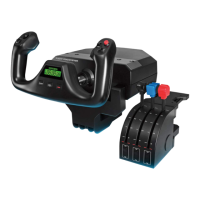
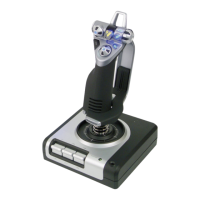
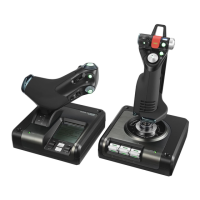
Details various joystick features like triggers, switches, and hat switches.
Describes illuminated buttons and MFD for optimal visibility in low light.
Highlights part metal construction for enhanced durability and user comfort.
Overview of throttle buttons, mouse controller, thumb slider, and rotary controls.
Explains the clutch button's role in 'safe mode' and on-the-fly profile switching.
Details the 8-way hat switch and scroll wheel located on the throttle unit.
Describes smooth-action throttle control with tension adjustment and detents for precision.
Explains the MFD screen's indicators for mode, state, custom text, and time displays.
Instructions for installing the necessary software for the HOTAS to function correctly.
Guidance on changing settings like LED brightness and verifying controller operation.
Steps to access the 'Test' tab within the controller properties window.
Guidance on testing each controller feature as per its specific requirements.
Explains what a deadzone is and its impact on game input detection.
Instructions to open the 'Deadzones' tab for axis deadzone adjustments.
How to use sliding scales to define the start and end points of axis deadzones.
Using center sliders to maintain deadzones around the neutral position of axes.
Steps to access the 'LEDs' tab for adjusting brightness and color options.
How to use the provided slider to control the illumination level of the LEDs.
Explains the MFD's role in displaying mode, date, and stopwatch information.
Details how to configure time zones and formats for display on the MFD.
Instructions for modifying the brightness level of the MFD screen.
Steps to select preferred time zones and formats for the MFD clock.
How to choose the preferred format for displaying the current date on the MFD.
Explains how to change the clutch button's behavior for temporary button deactivation.
Describes the MFD's sections for modes, button names, profile, time, and date.
Explains how to create and use profiles with different operational modes.
How to switch between different operational modes using the flight stick's selector.
Using the pinkie switch to access an expanded set of up to six controller modes.
How to view profile names and specific button assignments on the MFD.
Details methods for displaying button names associated with the current mode and profile.
Instructions for dynamically switching the active profile without interrupting game sessions.
How to select and display various time zones on the MFD interface.
How to set and format the date display according to user preference.
Step-by-step guide for using the stopwatch functionality integrated into the MFD.
Instructions for activating and deactivating the flight stick's rudder lock feature.
Steps to customize the flight stick's handle height for optimal user comfort.
Guide on installing the plug-in for controlling the flight simulator's radio stack panel.
Instructions for accessing and modifying radio stack settings within Microsoft Flight Simulator X.
Information on utilizing the Software Development Kit (SDK) for custom iMFD game interactions.
 General
| Hat Switch | Yes |
|---|---|
| Throttle Control | Yes |
| Connectivity | USB |
| Programmable Buttons | Yes |
| Display | No |
| Type | Joystick |
| Hat Switches | 1 |

 To Next Page