English 5
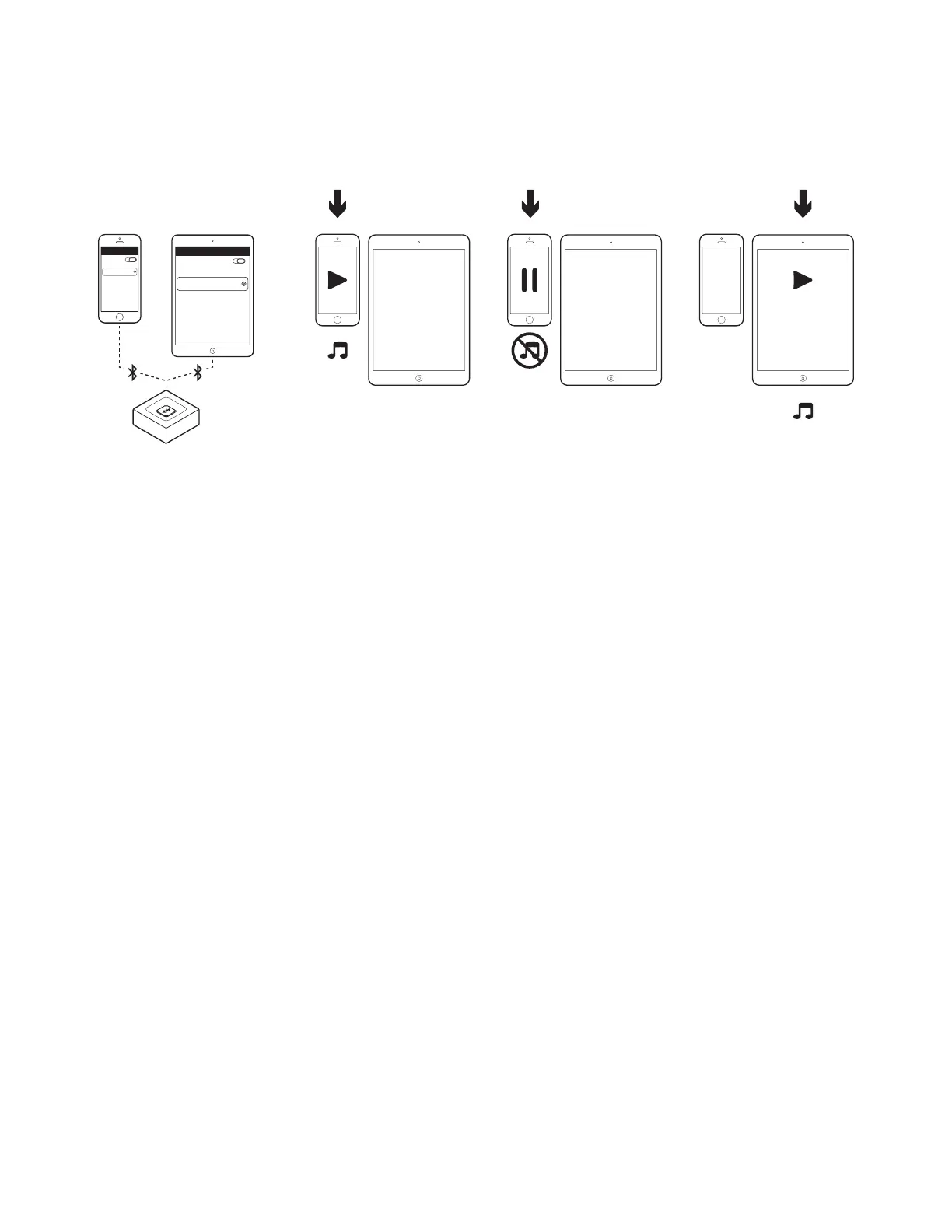
CONNECT TO TWO DEVICES SIMULTANEOUSLY
1. Make sure that your two devices are connected to the Logitech Bluetooth Audio Receiver following
the steps on the previous page. In case you were disconnected, please check your Bluetooth device
list, select “Logitech BT Adapter” and reconnect.
2. Play music on device 1.
3. Pause music on device 1.
4. Start playing music on device 2, the audio will switch automatically and will stream from device 2.
It may take a few seconds to switch between devices.
Bluetooth
Bluetooth
Logitech
BT Adapter
Connected
Logitech
BT Adapter
Connected
1 1 1 12 2 2 2
1 2 3 4


 To Next Page