26 Français
Premièreutilisation
1
2
CongurationdeLogitechVidHD
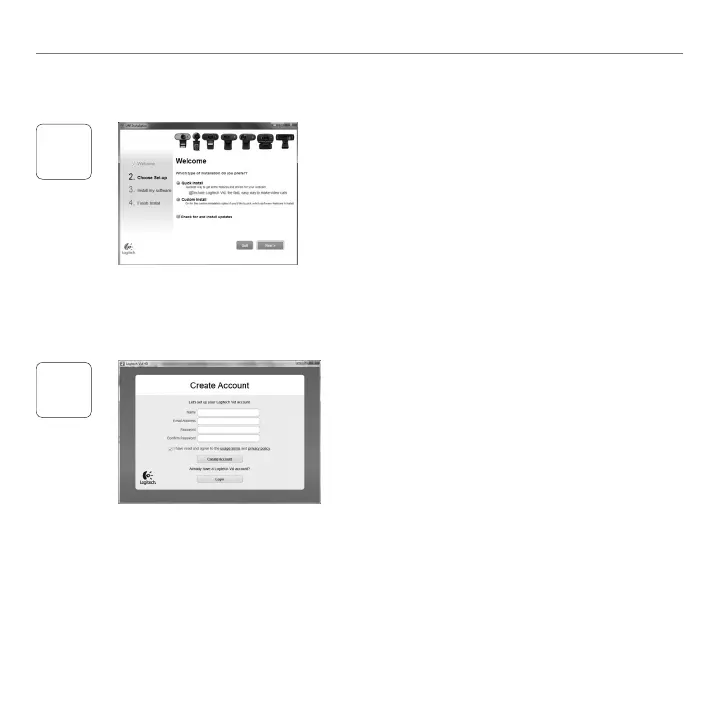
InstallationdeLogitechVidHD
Ilestrecommandéd'installeràlafoislelogiciel
decaméraWebLogitechetLogitechVidHD.
Conseil: Sivoussouhaitezutiliseruneautre
applicationd'appelsvidéo,vousdevez
téléchargeretinstallerunlogicieltiers.
Pourensavoirplus:http://www.logitech.com/webcam_howto
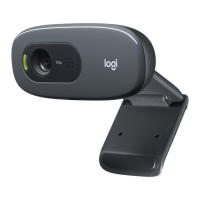
Créationd'uncompte
Suivezlesinstructionsàl'écranpourcréervotre
compteLogitechVidHDetpourcongurerla
fonctiond'appelvidéodevotrecaméraWeb.
Pourpasserdesappelsvidéoavecn'importequelle
application,vousetlapersonnequireçoitvotre
appeldoiventdisposerdesélémentssuivants:
unecaméraWeb•
unordinateuréquipéd'haut-parleurs•
etunmicrophone(ouuncasque
avecmicrophone;laplupartdes
camérasWebLogitechpossèdent
unmicrophoneintégré)
uneconnexionInternethautdébit•
(parexemple,ADSL,T1oucâble);
lamêmeapplicationd'appelsvidéo•
(parexemple,LogitechVidHD)
descomptespourappelsvidéo•


 To Next Page