
 Need help?
Do you have a question about the Logitech c925e and is the answer not in the manual?
Instructions on positioning the webcam on a computer, laptop, or monitor for optimal framing.
Steps to attach and position the webcam on a tripod using the mounting clip's thread.
The Logitech C925e Business Webcam is a versatile and high-quality camera designed for professional use, offering a range of features to enhance video conferencing and recording experiences. This webcam is engineered to provide clear and reliable video and audio, making it an ideal tool for business communications, remote work, and content creation. Its robust design and intuitive controls ensure ease of use and consistent performance in various settings.
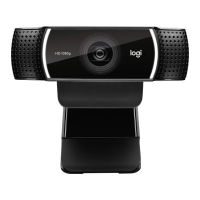
At its core, the C925e functions as a high-definition video input device for computers, capable of capturing video at 1080p resolution. This ensures that users appear sharp and professional during video calls, with excellent detail and clarity. The webcam incorporates autofocus technology, which automatically adjusts the lens to keep the user in sharp focus, even if they move slightly within the frame. This dynamic focusing capability eliminates the need for manual adjustments during a call, allowing users to concentrate on their communication rather than their camera settings. The lens itself is a high-quality HD 1080p lens, designed to deliver superior image quality with accurate color reproduction and good low-light performance.
Beyond its visual capabilities, the C925e also features dual microphones. These microphones are strategically placed to capture clear audio from the user, helping to reduce background noise and ensure that speech is transmitted distinctly. This dual-microphone setup is particularly beneficial in environments where ambient noise might otherwise interfere with communication, providing a more professional audio experience for both the speaker and the listener. The combination of high-definition video and clear audio makes the C925e a comprehensive solution for effective virtual interactions.
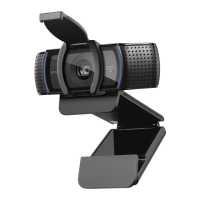
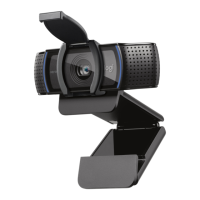
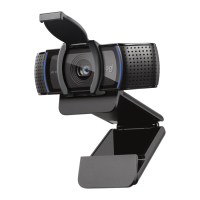
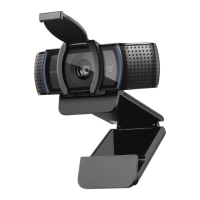
One of the key usage features of the Logitech C925e is its integrated privacy shutter. This shutter is a physical slider located directly above the camera lens. Users can easily open or close the shutter by moving the slider to the left or right, respectively. When the shutter is closed, it physically covers the lens, providing a clear visual indication that the camera is not active and ensuring complete privacy. This feature is crucial for users who are concerned about their privacy and want to prevent accidental or unauthorized video capture. The lens will appear white when the privacy shutter is closed, offering an immediate visual confirmation of its status. This simple yet effective mechanism gives users peace of mind and control over their video feed.
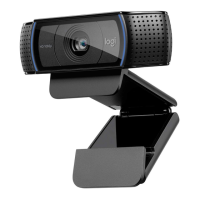
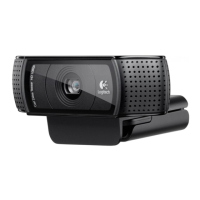
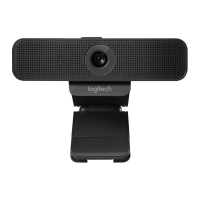
The webcam is designed for flexible placement, accommodating various setups. It comes with a universal mounting clip that allows it to be securely attached to a computer monitor, laptop screen, or even a thin display. The clip is engineered to provide a stable grip, ensuring the webcam remains in position during use. When placing the webcam on a monitor, users can adjust its position and angle to achieve the desired framing. The foot on the universal mounting clip should be flush with the back of the device for optimal stability. Furthermore, the webcam can be manually adjusted up or down to fine-tune the framing, allowing users to present themselves in the best possible light.
For more advanced or specific mounting needs, the C925e also includes a ¼ inch tripod thread on the bottom of the universal mounting clip. This allows the webcam to be mounted on a standard tripod, offering greater flexibility in positioning. Users can secure the webcam to a tripod by twisting it into the thread, and then place the tripod-mounted webcam anywhere they desire to achieve the best framing. This feature is particularly useful for users who require specific camera angles, need to place the webcam further away from their screen, or want to integrate it into a more elaborate studio setup.
Connecting the C925e to a computer is straightforward, as it utilizes a USB-A cable. The webcam comes with a 6 ft (1.83 m) attached USB-A cable, providing ample length for most setups. Users simply need to plug the USB-A connector into an available USB-A port on their computer. Once connected, the webcam is typically recognized automatically by the operating system, making it ready for use with various video conferencing applications.
A visual indicator of the webcam's activity is provided by an LED activity light. This light illuminates when the webcam is actively being used by an application, such as during a video call or when recording. This provides a clear and immediate visual cue to the user, confirming that the camera is operational and capturing video. This feature is helpful for ensuring that the webcam is functioning as expected and for maintaining awareness of its active status.
In terms of maintenance, the C925e is designed for durability and ease of care. The integrated privacy shutter not only offers privacy but also protects the lens from dust and scratches when not in use, contributing to the longevity of the optical components. The robust construction of the webcam ensures it can withstand regular handling in a business environment. While specific cleaning instructions are not detailed, general care for electronic devices, such as wiping the exterior with a soft, dry cloth and keeping the lens free from smudges, would apply to maintain optimal performance. The fixed USB-A cable is designed to be durable, minimizing the risk of connectivity issues over time. The overall design emphasizes reliability and user convenience, making it a low-maintenance device for everyday professional use.
 General
| Megapixel | 3 MP |
|---|---|
| Auto focus | Yes |
| Digital zoom | 1.2 x |
| Face tracking | No |
| Camera HD type | Full HD |
| Maximum frame rate | 30 fps |
| Supported video modes | 720p, 1080p |
| Diagonal field of view | 78 ° |
| Video formats supported | H.264 |
| Maximum video resolution | 1920 x 1080 pixels |
| Resolution at capture speed | 1280x720@30fps, 1920x1080@30fps |
| Mac operating systems supported | Mac OS X 10.10 Yosemite, Mac OS X 10.11 El Capitan, Mac OS X 10.12 Sierra, Mac OS X 10.13 High Sierra, Mac OS X 10.7 Lion, Mac OS X 10.8 Mountain Lion, Mac OS X 10.9 Mavericks |
| Windows operating systems supported | Windows 10, Windows 10 Education, Windows 10 Education x64, Windows 10 Enterprise, Windows 10 Enterprise x64, Windows 10 Home, Windows 10 Home x64, Windows 10 Pro, Windows 10 Pro x64, Windows 7, Windows 7 Enterprise, Windows 7 Enterprise x64, Windows 7 Home Basic, Windows 7 Home Basic x64, Windows 7 Home Premium, Windows 7 Home Premium x64, Windows 7 Professional, Windows 7 Professional x64, Windows 7 Starter, Windows 7 Starter x64, Windows 7 Ultimate, Windows 7 Ultimate x64, Windows 7 x64, Windows 8, Windows 8 Enterprise, Windows 8 Enterprise x64, Windows 8 Pro, Windows 8 Pro x64, Windows 8 x64, Windows 8.1, Windows 8.1 Enterprise, Windows 8.1 Enterprise x64, Windows 8.1 Pro, Windows 8.1 Pro x64, Windows 8.1 x64 |
| Interface | USB |
| Cable length | 1.83 m |
| Lens material | Glass |
| Mounting type | Clip |
| Product color | Black |
| Tripod thread | 1/4 \ |
| Number of microphones | 2 |
| Microphone pick-up range | 1 m |
| Microphone direction type | Omnidirectional |
| Quantity | 1 |
| Package depth | 145 mm |
| Package width | 77 mm |
| Package height | 54 mm |
| Package weight | 230.6 g |
| Master (outer) case width | 322 mm |
| Master (outer) case height | 291 mm |
| Master (outer) case length | 333 mm |
| Master (outer) case weight | 10500 g |
| Harmonized System (HS) code | 85258900 |
 Weight and Dimensions
| Depth | 45 mm |
|---|---|
| Width | 126 mm |
| Height | 73 mm |
| Weight (with stand) | 170 g |




 To Next Page

