8 English
Gettingstartedwith
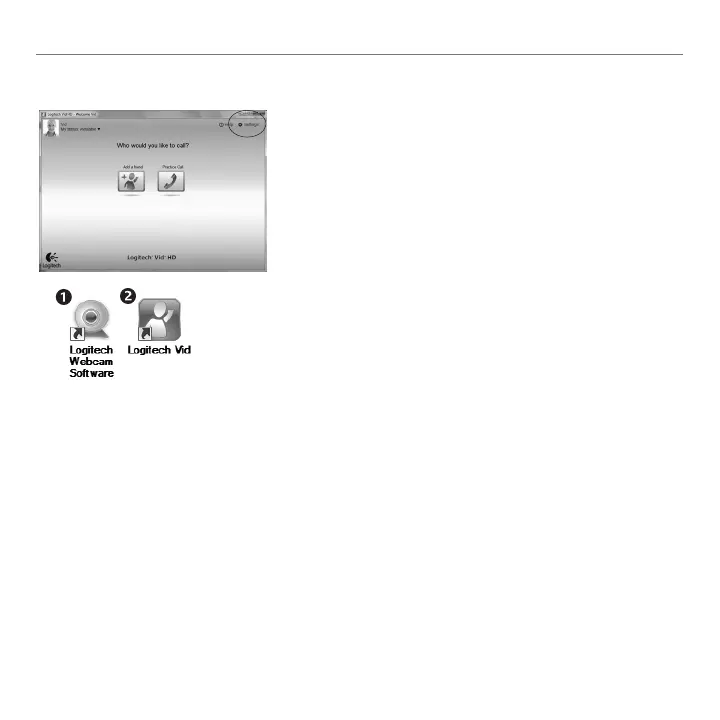
Accessing account settings and starting applications
Logitechautomaticallydetectsandadjuststhebest
settingsforyourwebcam.Ifyouwouldliketore-take
yourprolepictureorupdateanyofyoursettings,
clicktheSettingsicon.
Double-clicktheiconstolaunchyourapplications.
LogitechWebcamSoftware1.
LogitechVidHD2.
Tip:TheLogitechVidHDiconisonlypresentifyou
chosetoinstallLogitechVidHD.Tolearnabout
third-partyvideocalling,pleasevisit:
www.logitech.com/webcam_howto


 To Next Page