2
1
3
4
5
Installation Guide
Logitech
®
www.logitech.com
5
CONNECT
ON / OFF
6
1
2
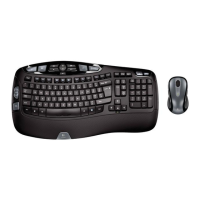
English Package Contents: 1. Keyboard 2. Mouse 3. Speakerphone with built-in
Receiver 4. Headset 5. Four AA batteries 6. Software
Español Contenido de la caja: 1. Teclado 2. Ratón 3. Teléfono manos libres
con receptor integrado 4. Casco telefónico 5. Cuatro pilas AA 6. Software
Français Contenu: 1. Clavier 2. Souris 3. Haut-parleurs avec récepteur intégré
4. Casque 5. Quatre piles AA 6. Logiciel
Português Conteúdo do pacote: 1. Teclado 2. Rato 3. Altifalante com Receptor
integrado 4. Auscultador 5. Quatro pilhas AA 6. Software
English Insert 2 AA batteries in the mouse and 2 AA batteries in the keyboard. Battery LED on mouse should light.
Español Coloque 2 pilas AA en el ratón y 2 pilas AA en el teclado. El diodo de las pilas del ratón debería iluminarse.
Français Insérez deux piles AA dans la souris et deux piles AA dans le clavier. Le témoin lumineux des piles doit s'allumer.
Português Introduza duas pilhas AA no rato e duas pilhas AA no teclado. O LED de pilhas no rato deverá acender-se.
English Plug cable of Speakerphone with built-in Receiver into computer’s USB port.
Español Conecte al puerto USB del ordenador el cable del teléfono manos libres con receptor integrado.
Français Branchez le câble des haut-parleurs avec récepteur intégré dans un port USB.
Português Ligue o cabo do Altifalante com Receptor integrado à porta USB do computador.
3
4
ON
English Turn ON computer.
Español Encienda el ordenador.
Français Mettez l’ordinateur
sous tension.
Português Ligue o computador.
1
.5V
A
A
1
.5V
A
A
English
Español
Français
Português
English To enjoy all the features of your product, you must install the Logitech
®
SetPoint
™
Software.
Español Para disponer de todas las funciones del producto, debe instalar
el software Logitech
®
SetPoint
™
.
Français Pour pouvoir utiliser pleinement toutes les fonctions du produit,
vous devez installer le logiciel Logitech
®
SetPoint
™
.
Português Para desfrutar de todas as funções do produto,
deverá instalar o Logitech
®
SetPoint
™
Software.

 Need help?
 General







 To Next Page