EasyManua.ls Logo

Logitech G Pro X SUPERLIGHT - User Manual

Logitech G Pro X SUPERLIGHT
19 pages
Print Icon
To Next Page IconTo Next Page
Loading...
G Pro X SUPERLIGHT FAQs 1
G Pro X SUPERLIGHT Wireless Gaming Mouse
INDEX
GETTING STARTED
User guide
Package contents
Mouse features
Setup
SPECIFICATIONS
Physical specifications
Technical specifications
Tracking
FAQs
My LIGHTSPEED receiver is stuck updating its firmware
Device lost connection to LIGHTSPEED receiver after G HUB update
Two PRO X SUPERLIGHT devices appear in G HUB after firmware update
Using the Device Pairing Tool in G HUB
Pairing your device to a replacement receiver with the Device Pairing Tool
Connect two LIGHTSPEED devices to one receiver using the Device Pairing Tool
Pair your PRO X SUPERLIGHT to a new receiver
The cursor for my PRO X Superlight is erratic after mouse feet are changed
Logitech G HUB - FAQs
About Logitech G Hub
Question and Answer IconNeed help?

Do you have a question about the Logitech G Pro X SUPERLIGHT and is the answer not in the manual?

Summary

Getting Started Guide

User Guide and Package Contents

Details product contents and initial setup steps for the mouse.

Mouse Features Overview

Explains the function of each button, LED, and port on the G Pro X SUPERLIGHT.

Initial Mouse Setup Guide

Provides step-by-step instructions for connecting and configuring the mouse using G HUB.

Product Specifications

Physical Specifications

Lists the physical dimensions and weight of the G Pro X SUPERLIGHT mouse.

Technical Specifications

Outlines key technical features like compatibility, memory, and buttons.

Tracking Performance Specifications

Details sensor performance including resolution, acceleration, and speed.

FAQs and Troubleshooting

LIGHTSPEED Receiver Update Troubleshooting

Resolves issues with LIGHTSPEED receiver firmware updates via G HUB.

Device Connection Loss Post-G HUB Update

Addresses loss of connection to the LIGHTSPEED receiver after a G HUB update.

Resolving Duplicate Devices in G HUB

Fixes the issue of multiple PRO X SUPERLIGHT devices appearing in G HUB.

Using the G HUB Device Pairing Tool

Guide on using the Device Pairing Tool to connect LIGHTSPEED devices and receivers.

Pairing Mouse to a New Receiver

Instructions for pairing the mouse to a replacement or new LIGHTSPEED receiver.

Mouse Cursor Erratic After Feet Change

Discusses cursor tracking issues when mouse feet are replaced with aftermarket parts.
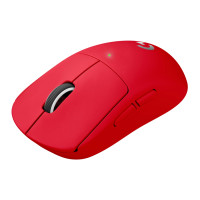
Logitech G Pro X SUPERLIGHT Specifications

General IconGeneral
BrandLogitech
ModelG Pro X SUPERLIGHT
CategoryMouse
LanguageEnglish

Videos

How To Fix Logitech G Pro X Superlight Not Working

How to Reset Logitech G Pro X Superlight Mouse

How to charge Logitech G Pro X Superlight

How To Change DPI Logitech G Pro X Superlight 2

How To Change Debounce Time On Logitech G Pro X Superlight

How to Connect Logitech G Pro X Superlight 2 to PC

Related product manuals