• LED will flash red for five seconds, which means the battery level is less than 15%
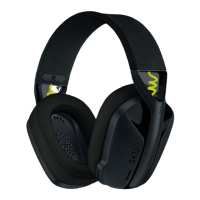
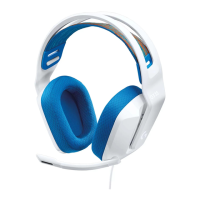
• Cleaning your Logitech G435 headset
In the event your G435 needs cleaning we have some recommendations:
Before you clean:
• Do not wash your ear pads in a washing machine
• Do not dry your ear pads in a tumble dryer
• Don’t put cleaning liquids directly on your earpads and headband
• Don’t use bleach, acetone/nail polish remover, strong solvents, or abrasives as it might
affect the polyester fabric surface condition and cause discoloration
• When using cleaning sprays, spray on the cloth and wipe — do not spray the product
directly
Wiping and cleaning your G435:
• To wipe or clean the headset, use regular tap water to lightly moisten a clean, soft, lint-
free cloth and gently wipe down the headband and ear pads
• For heavier stains, you might additionally use a small amount of soap on a lightly
moistened, clean, soft cloth and gently rub stained areas. Rinse thoroughly the surface by
using the same moistened cloth. Repeat until all traces of soap are gone
• You can also use fragrance-free disinfecting wipes, fragrance-free anti-bacterial wet
wipes
• Let it dry at room temperature
Logitech encourages users to properly sanitize their products in accordance with
guidelines put out by the World Health Organization and the Centers for Disease Control
guidelines.



 To Previous Page