38 PORTUGUÊS
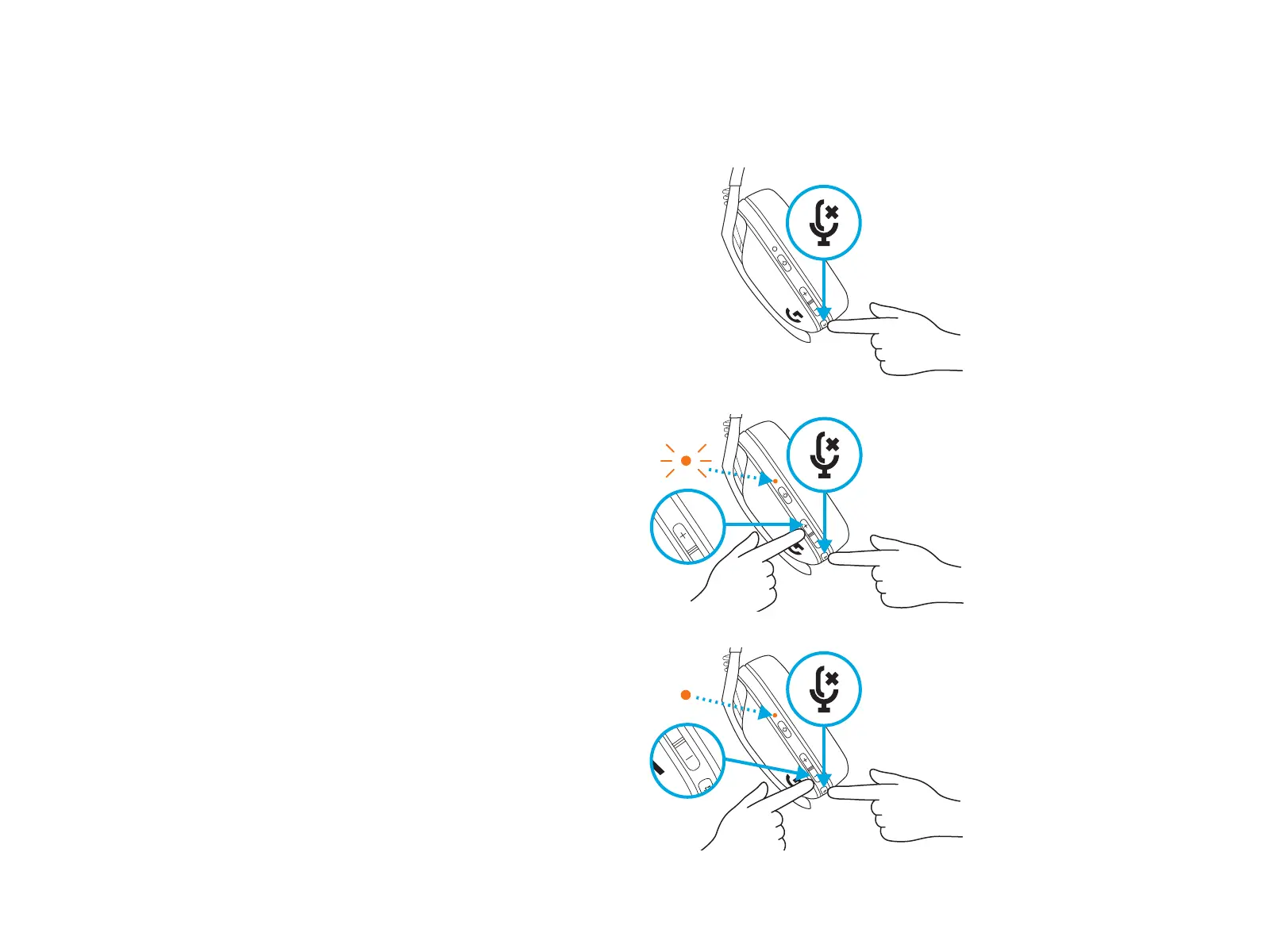
SILENCIAR/ATIVAR som do microfone
– Pressione rapidamente o botão sem áudio
Denir Volume máximo
– Denir como 100 dB
– Pressione o botão Sem áudio + Aumentar
volume por três ou mais segundos.
– O LED piscará em
laranja três vezes.
– Denir como 85 dB
– Pressione o botão Sem áudio + Diminuir
volume por três segundos ou mais.
– O LED cará sólido em laranja durante
5segundos.
X3
5 s
COMO ALTERNAR COM/SEM ÁUDIO
EVOLUME MÁXIMO EM SEU G435 SE
3 s
3 s







 To Next Page