G502 X PLUS | G502 X LIGHTSPEED Gaming Mouse FAQs 20
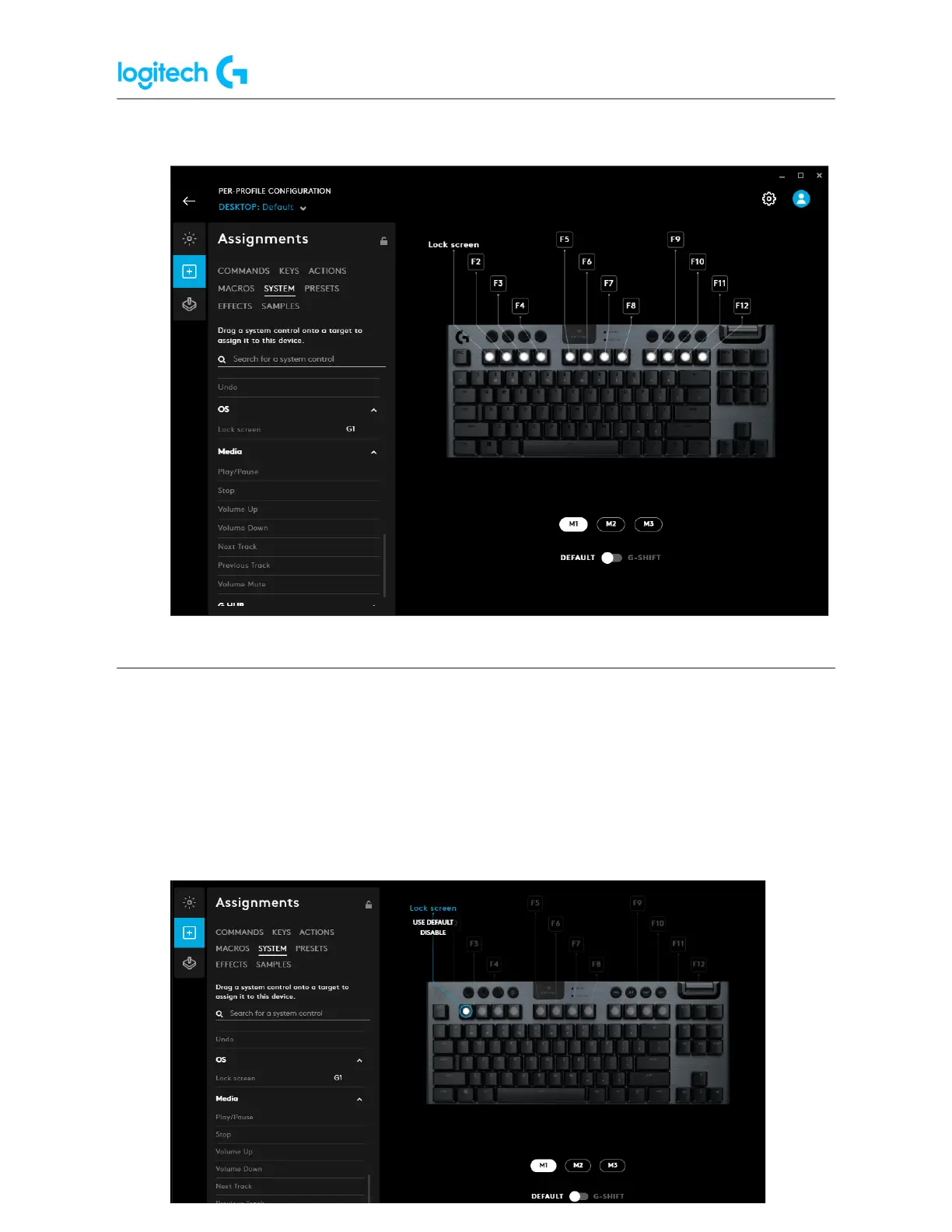
6. G-Keys that have assignments will show what their current command is.
Removing commands from my G-Keys
1. Launch Logitech G HUB.
2. Click on your Logitech device that has the G-Key you want to edit.
3. Click on the Assignments icon.
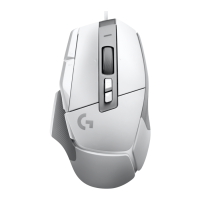
4. Click on the G-Key so it’s highlighted.
5. Click on USE DEFAULT to remove the assigned command.



 To Next Page