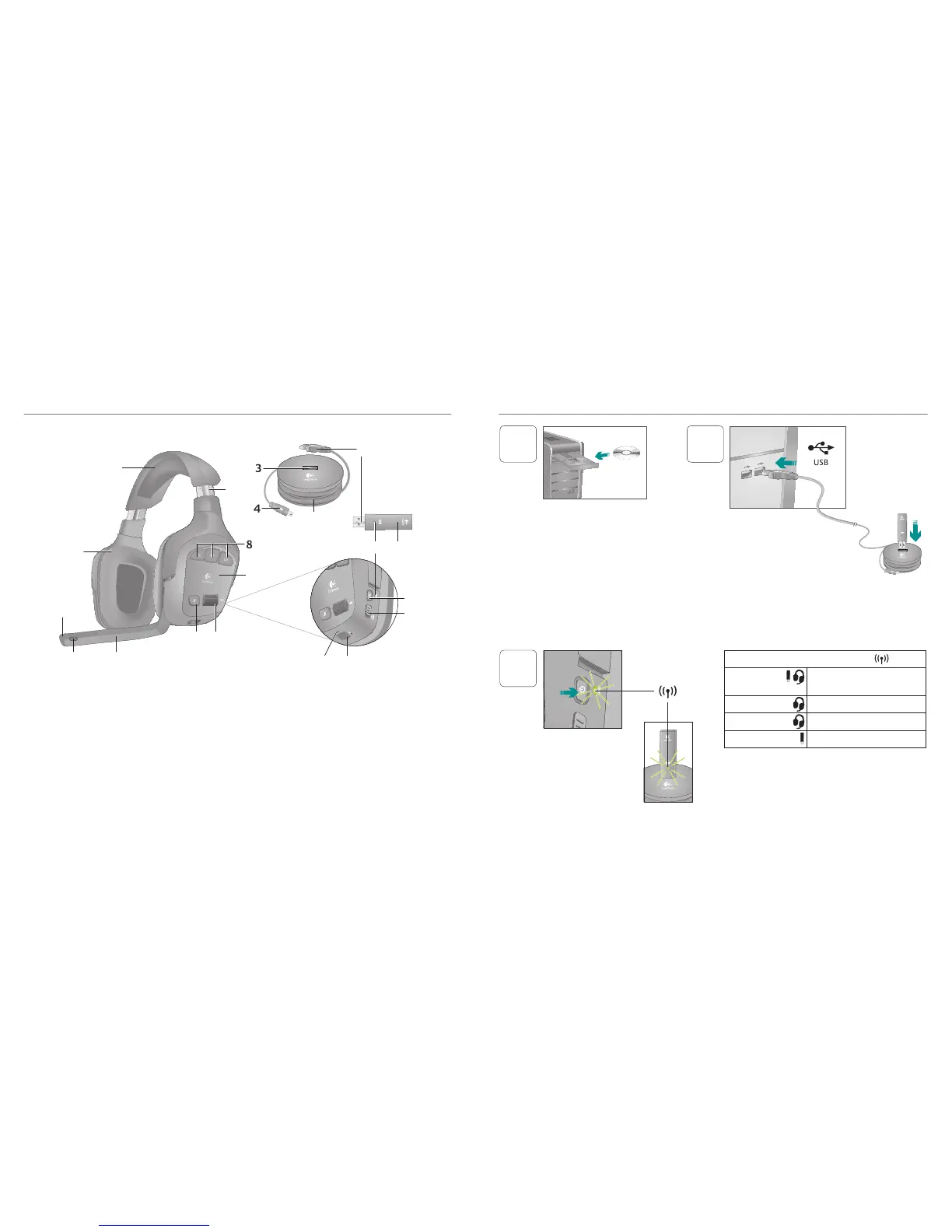
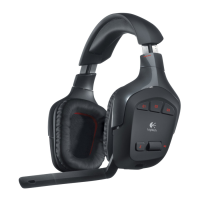
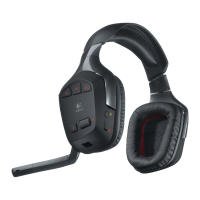
1 Memoryfoamheadbandpad
2 Precisionheadband
adjustment
3 Wirelessadapterdock
4 Chargingcable
5 Chargingbase
6 Full-speedUSBconnection
7 Plushearpads
8 ProgrammableG-keys
9 Closed-back,noise-isolating
earcups
10 Wirelessstatuslight
11 Wirelessadapter
12 Microphonemutelight
13 Noise-cancelingmicrophone
14 Flexible,rotatingmicrophone
boom
15 Microphonemutebutton
16 Volumeroller
17 Batterystatuslight
18 Chargingport
19 Surroundsoundswitch
20 Powerbutton
Wireless status light
Steadygreen Connectionmade;headset
readytouse
Flashinggreen Headsetoutofrange
Nolight Headsetpoweredoff
Nolight Noconnectiontoheadset
Note:TheheadsetconnectsonlytotheincludedUSB
wirelessadapter
InstalltheHeadsetG930software
toenable7 1surroundsound,G-key
conguration,andvoicemorphing
Connectwirelessadaptertothe
chargingbase Connectthecharging
basetoaUSBportonyourcomputer
Placethechargingbaseinanopen,
unobstructedareaonyourdesk
Note:Yourheadsetcanworkupto40feetawayfromthe
wirelessadapter Walls,metalobjectsandotherwireless
devicesmayreducewirelessperformance
3
Pressthepowerbuttontoturnon
theheadsetandestablishawireless
connection
Note:Theheadsetcomeswith
alimitedchargeoutofthebox
Fullychargetheheadsetbefore
extensiveuse


 To Next Page