English
&!:
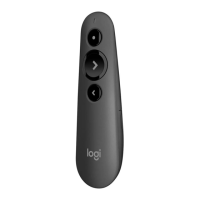
Care
and
Maintenance. Do
not
open the remote. There are no user-
serviceable parts inside. Do
not
allow moisture
to
enter
th
e unit. Moisture will
corrode
the
inner electronics.
To
cle
an
the
LCD
screen,
wipe
gently
with
a
dry
cloth. Any changes
or
modifications
not
expressly approved by Logitech®
Inc. void
the
user's authority
to
operate the equipment and could void
the
warranty.
Power
Supply
Warning. The
power
supply for this
product
is
for
indoor
use
only.
Use
the
power
supply
that
comes
with
your product;
do
not
use
any
other
power
supply. Do
not
use a damaged
power
supply
or
attempt
to
repair
one
that
is
damaged. Do
not
immerse
the
power
supply in
water
or
subject
it
to
physical abuse. Inspect
the
power
supply regularly for damage
to
its cable,
plug, and body.
FCC
Compliance
and
Advisory
Statement.
This
device complies
with
Part 1 5
of
the
FCC
Rules
. Operation
is
subject
to
the
following
two
conditions: (
1)
this
device may
not
cause harmful interference and (2) this device must accept
any interference received, including interference
that
may cause undesired
operation.
This
equipment
has
been tested and found
to
comply
with
the
limits for a
Class
B digital devices. pursuant
to
Part
15
of
the
FCC
Rules.
These limits are
designed
to
provide reasonable protection against harmful interference in
a residential installation.
This
equipment
generates,
uses
, and can radiate
radio frequency energy and, if
not
installed and used in accordance
with
the
instruction manual, may cause harmful interference
to
radio communications.
However, there
is
no guarantee
that
interference will
not
occur in a particular
installation.
If this
equipment
does cause harmful interference
to
radio
or
television reception,
which can be determined by turning the
equipment
off
and on. the user
is
encouraged
to
try
to
correct the interference by one
of
more
of
the following
measures:
Reorient
or
relocate
the
receiving antenna
Increase
the
separation between
the
equipment
and receiver
Connect
the
equipment
into
an
outlet
on a circuit different from
that
to
which
the
receiver
is
connected.
Consult
the
dealer or
an
experienced radio /TV technician
for
help.
This
equipment
is
classified
as
a Mobile device and
is
compliant
to
FCC
CFR
part
2.1
091 .
This
equipment
complies
with
FCC
radiation exposure limits set forth
for
an
uncontrolled environment.
This
equipment should be installed and operated
with
minimum
distance
of
20
em between
the
radiator and your body.
This
transmitter must
not
be co-located
or
operating in conjunction
with
any other
antenna
or
transmitter.
Warning:
Changes
or
modifications
not
expressly approved by Logitech could
void
the
user's authority
to
operate
the
equipment
. Where shielded interface
cables have been provided
with
the
product
or
specified additional components
or accessories elsewhere defined
to
be used
with
the
installation
of
the product.
they
must be used in order
to
ensure compliance
with
FCC
regulations.
Canadian
DOC:
This
digital device does
not
exceed
the
Class
B limits
for
radio
noise emissions from digital apparatus specified in
the
interference-causing
equipment standard entitled "Digital Apparatus. " ICES-003
of
the Department
of
Communications.
RF
Compliance
and
Advisory
Statement:
Thi
s device complies
with
Industry
Canada licence-exempt
RSS
standard
21
0. Operation
is
subject
to
the
following
two
conditions:
1)
this device may
not
cause harmful interference.
and
2)
this device must accept any interference, including interference
that
may cause undesired operation
of
the device.
To
comply
with
RSS
102
RF
exposure compliance requirements. for mobile
configurations. a separation distance
of
at
least
20
em must be maintained
between
the
antenna
of
this device and
all
persons.
This
device must
not
be
co-located
or
operating in conjunction
with
any other antenna or transmitter.
logitech
Compliance.
Your
product
is
FCC
compliant.
For
more information.
refer
to
the
software help system
or
online
at
www.logitech.com /
compliance.
logitech hardware product limited warranty. Logitech warrants
to
the
original purchaser
that
your Logitech hardware product shall be free
from defects in material and workmanship for one (
1)
year from the date
of
purchase. Except where prohibited by applicable law, this warranty
is
nontransferable and
is
limited
to
the
original purchaser.
This
warranty gives
you specific legal rights, and you may also have
other
rights
that
vary under
local laws.
Logitech's entire liability and your exclusive remedy for any breach
of
warranty shall be.
at
Logitech's option, (
1)
to
repair
or
replace
the
hardware.
or
(2)
to
refund the price paid, provided
that
the
hardware
is
returned
to
the
point
of
purchase
or
such
other
place
as
Logitech may direct
with
a copy
of
the
sales
receipt or dated itemized receipt. Shipping and handling charges
may apply, except where prohibited by applicable law. Logitech may,
at
its


 To Next Page
 Loading...