ON
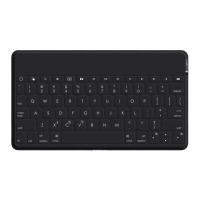
Keys-To-Go 2
+
Bluetooth
SET UP YOUR PRODUCT
1. Power on the keyboard.
Pull the insulation tab out from the battery
tray to power on the keyboard.
Bluetooth
®
discovery starts automatically
with a fast blinking white LED on Bluetooth
®
channel 1 and continues for 3 minutes.
2. Establish Bluetooth
®
connection:
Make sure your device’s Bluetooth
®
featureison. Go to Settings > Bluetooth
®
,
andturn on the Bluetooth
®
function.
3. Pair the keyboard with your device:
a. In your device’s Bluetooth
®
settings,
select“Keys-To-Go 2” from the device list.
b. When prompted, enter the passcode
displayed using the keyboard and
pressENTER.
c. When successful connection is made,
thestatus light turns solid white for
a short time, and then turns o.
4English





 To Next Page