2
3
1
Getting started with
Première utilisation
Logitech
®
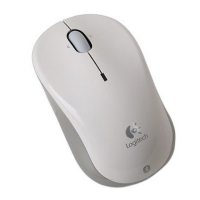
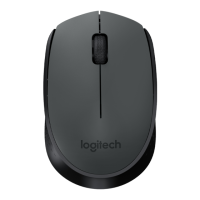
Wireless Mouse
M-R0050
English
1. Install the AA mouse battery.
2. The ON/Off slider should be in the
ON position.
Español
1. Coloca la pila AA del mouse.
2. El conmutador deslizante de
encendido/apagado debería estar en
la posición ON.
Français
1. Insérez la pile AA dans la souris.
2. Le curseur de marche/arrêt doit être
sur la position ON.
Português
1. Instale as pilhas AA do mouse.
2. O controle deslizante de ON/Off
deve estar na posição ON.
English
Plug the USB Nano receiver into
a computer USB port.
Español
Conecte el nanorreceptor USB al puerto USB
del ordenador.
Français
Branchez le nano-récepteur USB
sur le port USB de l'ordinateur.
Português
Ligue o receptor Nano USB à porta USB do
computador.
Important information
Safety, compliance, and warranty
Getting started with
Première utilisation
Logitech
®
Wireless Mouse M310
www.logitech.com
© 2010 Logitech. All rights reserved. Logitech, the Logitech logo, and other Logitech marks are owned
by Logitech and may be registered. Microsoft, Windows Vista, Windows, and the Windows logo are trademarks
of the Microsoft group of companies. Mac and the Mac logo are trademarks of Apple Inc., registered in the U.S.
and other countries. All other trademarks are the property of their respective owners. Logitech assumes no
responsibility for any errors that may appear in this manual. Information contained herein is subject to change
without notice.
© 2010 Logitech. All rights reserved. Logitech, the Logitech logo, and other Logitech marks are owned
by Logitech and may be registered. Microsoft, Windows Vista, Windows, and the Windows logo are trademarks
of the Microsoft group of companies. Mac and the Mac logo are trademarks of Apple Inc., registered in the U.S.
and other countries. All other trademarks are the property of their respective owners. Logitech assumes no
responsibility for any errors that may appear in this manual. Information contained herein is subject to change
without notice.
620-002347.005
English
Turn on computer.
Español
Enciende la
computadora.
Français
Mettez l'ordinateur
sous tension.
Português
Ligue o computador.

 Need help?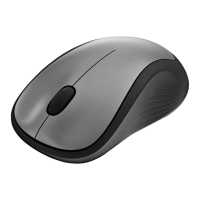

 To Next Page
 General