14
English
Logitech
TM
Wireless Desktop MK700
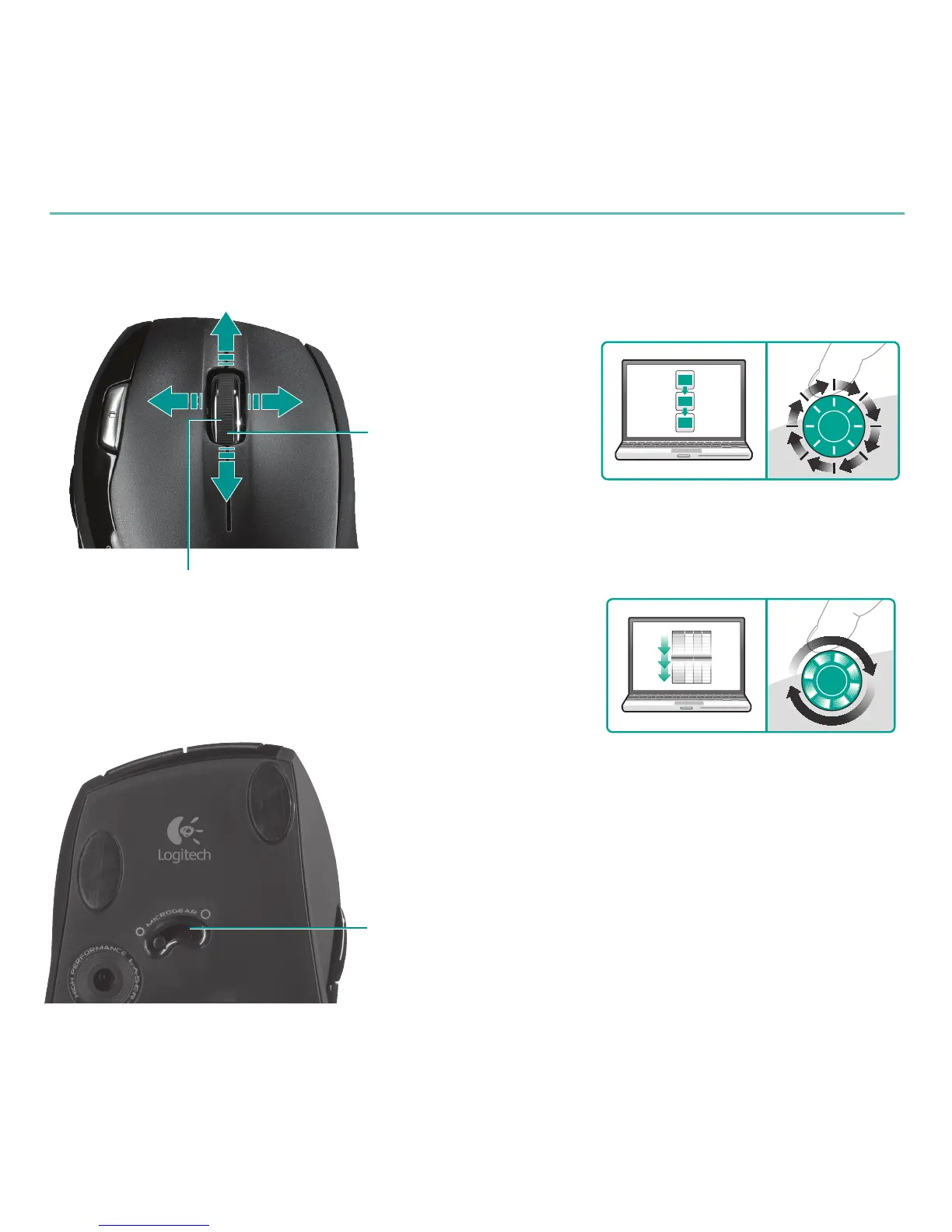
Scrolltoggle
With the flick of a switch, change between precision
(click-to-click) scrolling and hyper-fast scrolling.
Mousefeatures
Precisionscrolling
Hyper-fastscrolling
Use click-to-click mode to navigate lists
or slides.
The wheel spins freely, allowing you
to fly through long documents and
Web pages.
MicroGearprecisionscrollwheel
Tilt wheel for side-to-side (horizontal)
scrolling through spreadsheets or wide
documents. The scroll wheel doubles as
a middle button. Press down to use and
press again to release.
Zoom
Press scroll wheel
to zoom.








 To Next Page