English
17
User
’
s Guide
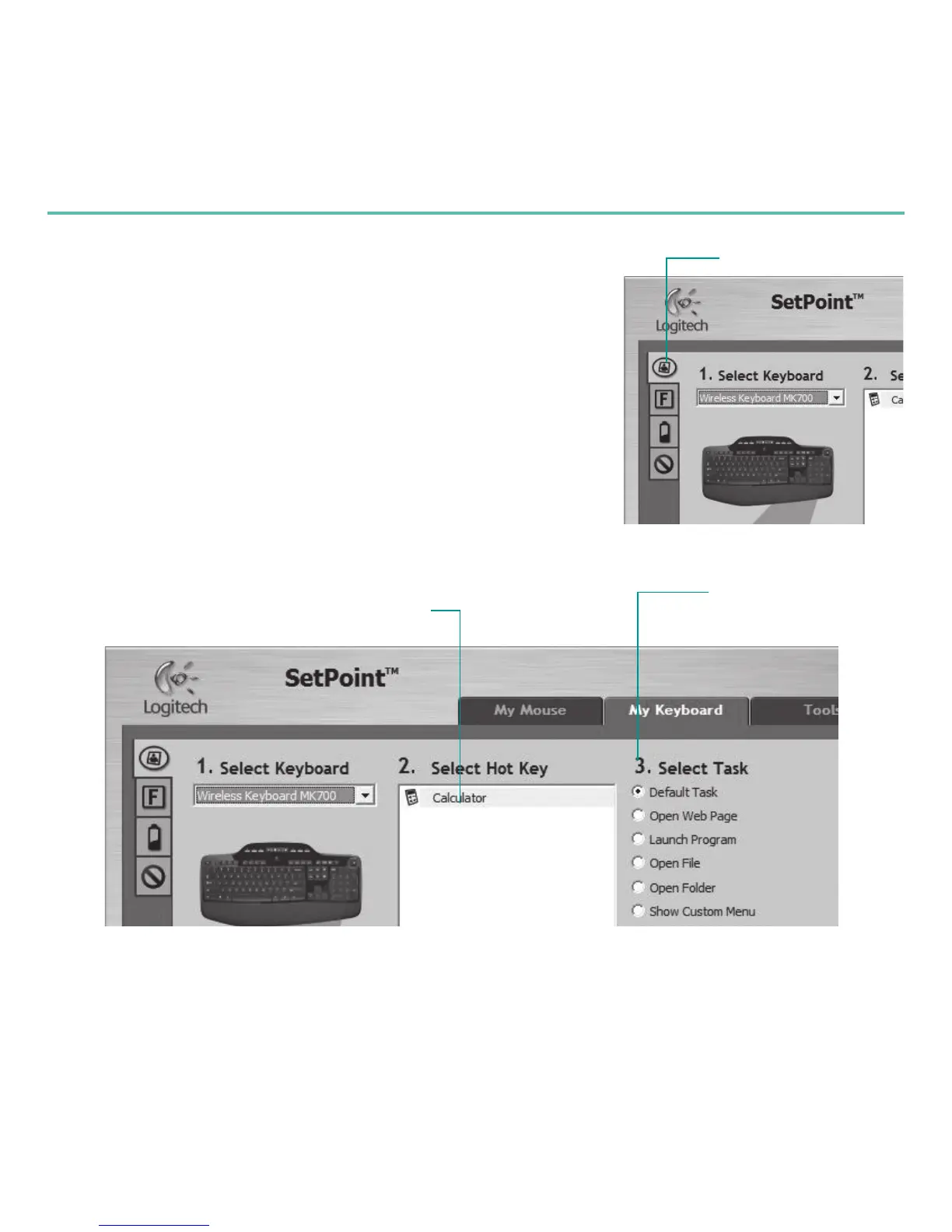
For either the keyboard or mouse, a series of tabs is shown
3.
on the left.
Choose a tab, such as the keyboard
4.
F-keySettings.
A picture of the keyboard is displayed showing F-keys (list 2)
to which tasks can be assigned (list 3).
In the
5.
2.SelectF-key list, highlight the F-key to be
reassigned a task.
In the
6.
3.SelectTask list, highlight the new task.
When you are done, click
7.
OK to save the new
F-key
assignments.
Select an F-key
Choose a task for
the F-key
Choose a tab
KeyboardF-keySettingstab








 To Next Page