EasyManua.ls Logo

Logitech MK700 - Page 8

Logitech MK700
60 pages
Print Icon
To Next Page IconTo Next Page
To Previous Page IconTo Previous Page
Loading...
8
Logitech
TM
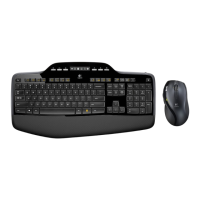
Wireless Desktop MK700
English
YourKeyboardandmousearenow
readyforuse.
Install the Logitech
SetPoint Software
to do the following:
Enable some of the F-keys and
customize up to 14 keys on the
keyboard
Enable the Mute icon on the LCD
Enable the tilt wheel and customize up
to 6 buttons on the mouse
繁體中文
現在,您可以立即使用鍵盤與滑鼠。
執行下功,請
Logitech
SetPoint
體:
啟用份功鍵並自訂盤上
14
個按鍵
啟用
LCD
上的靜音圖示
用四滾輪且自滑鼠最多
6
按鈕
简体中文
现在,您即可开始使用键盘和鼠标。
安装
Logitech
SetPoint
软件以执行以下
操作:
启用某些
F
键并在键盘上自定义最多
14
个键
LCD
中启用静音图标
启用斜滚并在标中定义
6
个按钮
한국어
이제 키보드와 마우스를 사용할 준비가
되었습니다.
다음 보드의 고급 기능
하려면 Logitech
SetPoint 소프트웨어를
설치하십시오.
F 사용을 활성화하고 최대 14개의
키를 사용자 지정
LCD에서 음소거 아이콘 사용
틸트 휠을 사용하고 마우스에서 최대
6개의 버튼을 사용자 지정

Related product manuals