SETUP
|
设置
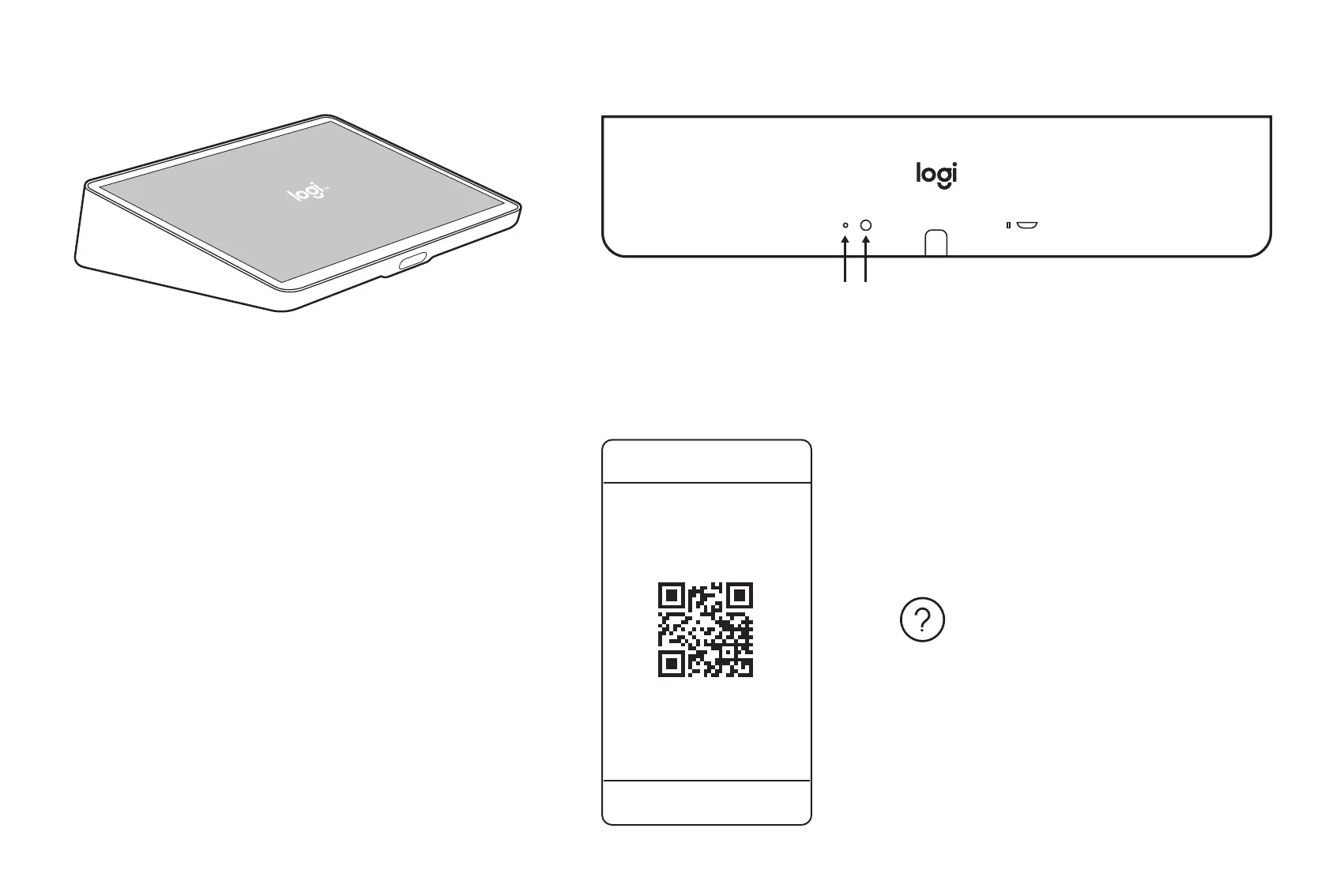
EN Follow on-screen prompts to complete setup
简体中文
按照屏幕上的提示完成设置
FACTORY RESET
|
恢复出厂设置
© 2021 Logitech. Logitech, Logi, 罗技 and the Logitech Logo are trademarks or registered trademarks of Logitech EuropeS.A. and/
or itsaliates in the U.S. and other countries. All other trademarks are the property of their respective owners. Logitech assumes
noresponsibility for any errors that may appear in this manual. Information contained herein is subject to change without notice.
版权所有 ©2021 年罗技。罗技、Logi、Logitech 和罗技标志为 罗技欧洲公司 和/或其美国及其他国家/地区附属公司的商标,并或已注册。所有其
它商标均是其各自所有者的财产。 罗技对于本手册中可能出现的任何错误不承担任何责任。 本手册中包含的信息如有更改,恕不事先通知。
620-010672 005
www.logitech.com/support/tapip
EN
Press and hold (A) Pinhole Button for 5 seconds, press (B) Reset button,
release (B) then release (A)
简体中文
按住 (A) 针孔按钮 5 秒 钟 ,按 下 (B) 重置按钮,松开 (B) 然后松开 (A)
www.logitech.com/tapip
A B


 To Previous Page