Type-V—For Ellipsis™ 8
3
Setting up the keyboard case
Getting started
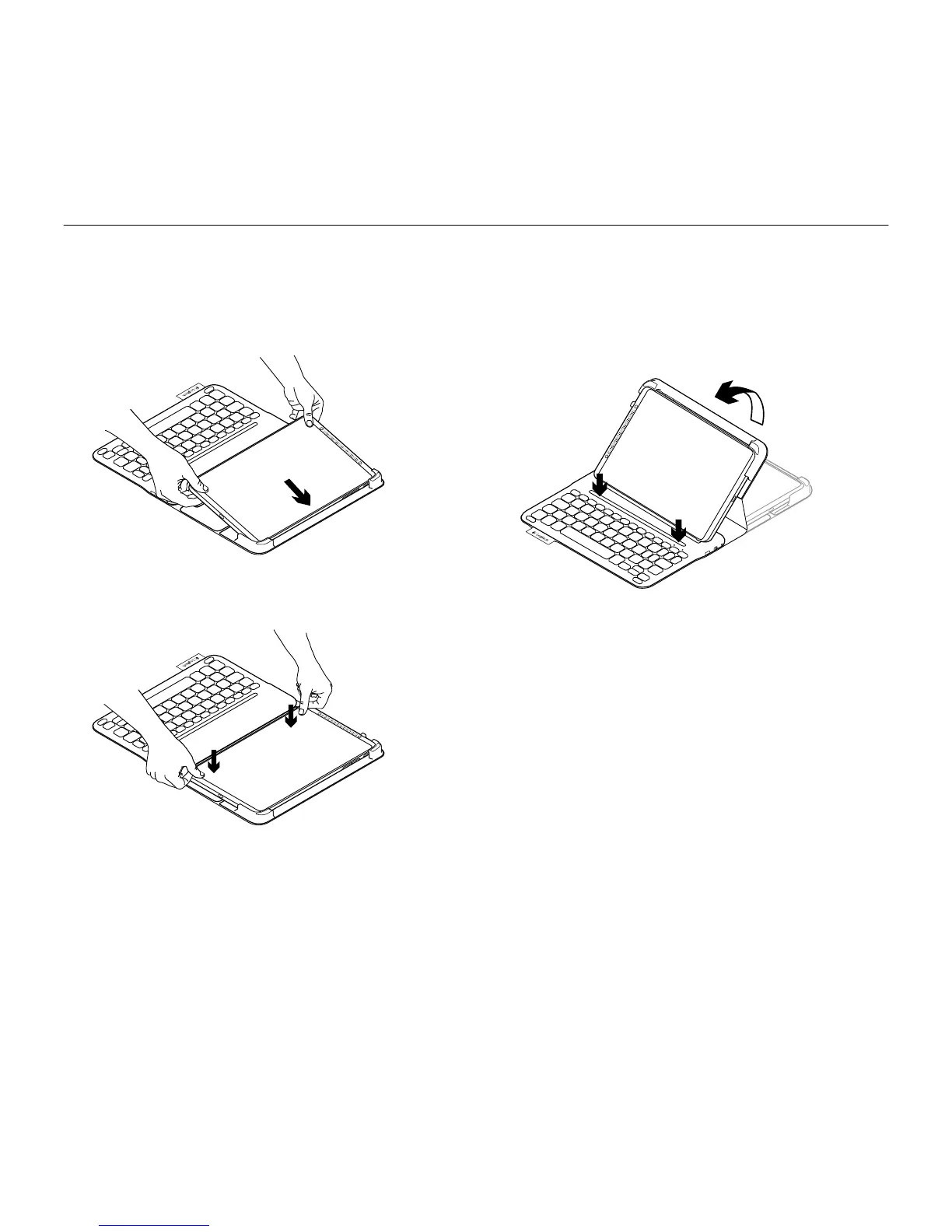
1. Open the keyboard case and push
your Ellipsis™ 8 into the tablet holder:
2. Push your Ellipsis™ 8 down
into the hook:
3. Move the keyboard case into the typing
position by lifting the back of the
protective case and sliding the hook
forwards until it aligns with the magnet:




 To Next Page