Type-V—For Ellipsis™ 8
5
Connecting to another tablet
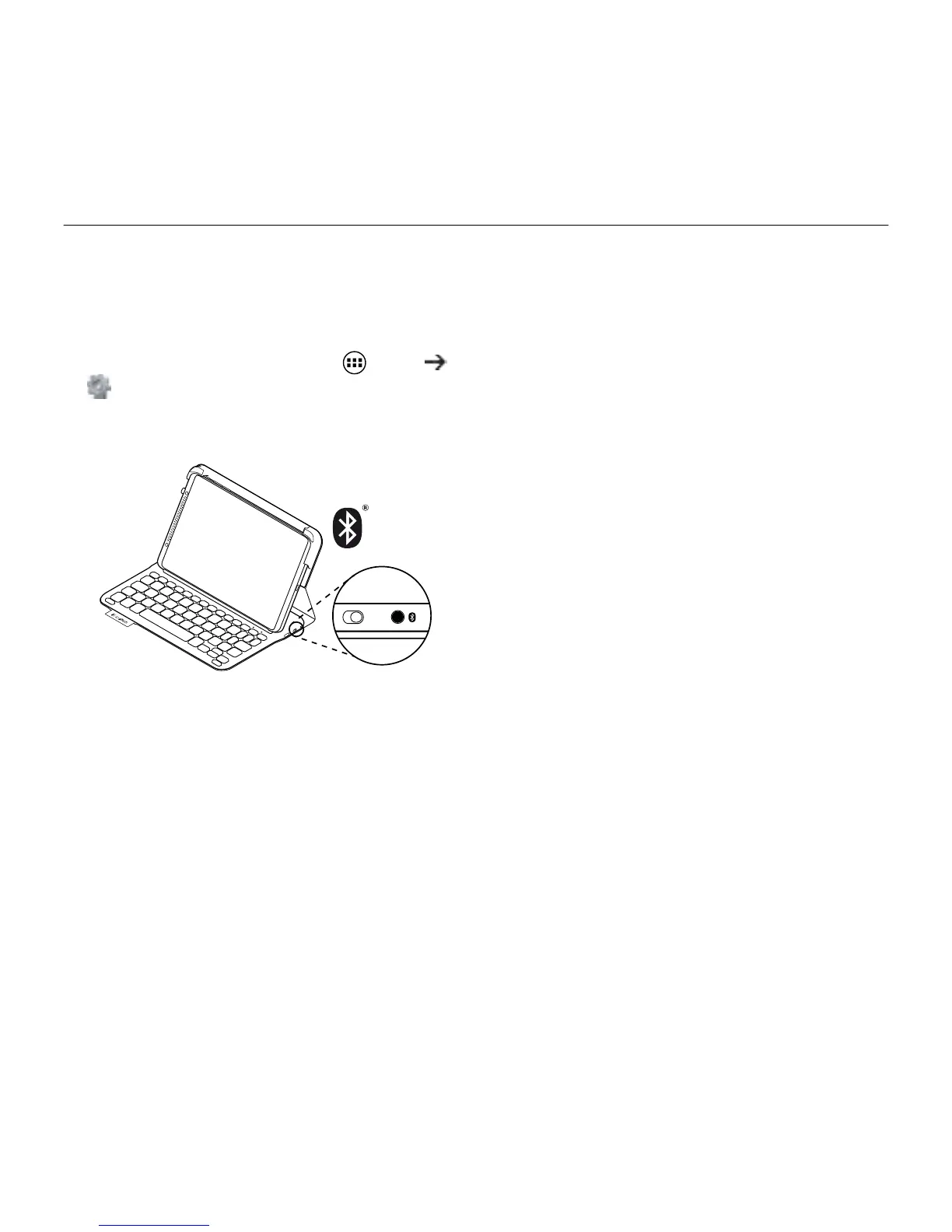
1. Make sure the keyboard is turned on.
2. Make sure your tablet’s Bluetooth
feature is on.
From a Home screen, touch Apps
Settings, and turn on the Bluetooth
switch.
3. Press the Bluetooth Connect button:
The status light blinks blue (fast blink)
to indicate that the keyboard
is discoverable, ready for pairing with
your tablet. The keyboard is discoverable
for 3 minutes.
4. Pair the keyboard case with your tablet.
(i) In your tablet’s Bluetooth settings
page, press Search for devices.
(ii) Select “Type-V” in the list of
Available devices.
(iii) When prompted, enter the PIN
displayed using the case keyboard.
Then, press the Enter key to validate.
When successful connection is made,
the status light turns solid blue for
a short time, and then turns o.



 To Next Page