7 English
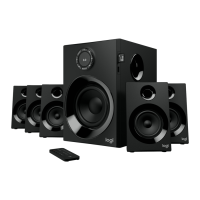
CONTROLS ON SUBWOOFER
1. Power ON/OFF:
Turns unit on/o.
2. Sound:
Switches between 5.1 and 2.1 channels
(only if input supports 5.1 channels).
3. Decrease the volume level:
4. Previous:
Bluetooth mode: short press to select previous song.
5. Play/Pause/Bluetooth Pairing:
Bluetooth mode:
a. Short press to play/pause music.
b. Long press will start Bluetooth pairing mode, LED will
quicklyblink ‘bt’ onthedisplay.
6. Source:
Switch between Bluetooth, AUX, DVD. LED display on subwoofer
panel will indicate related source mode.
7. Increase the volume level:
8. Next:
Bluetooth mode: short press to select next song.


 To Next Page