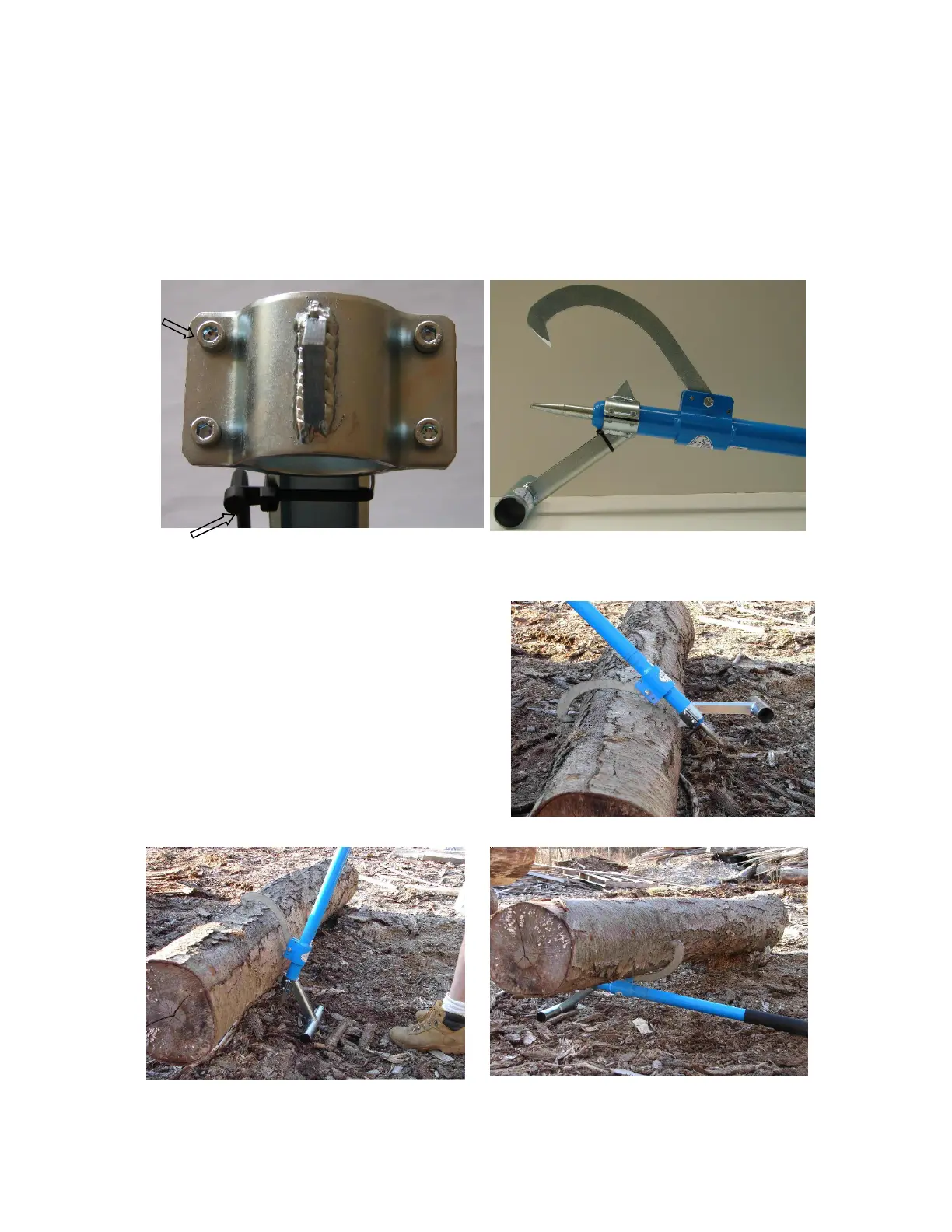
4. Log stand holding log
1. Set the hook (Peavey and log stand)
2. Peavey and log stand turning log
Installation
Attaching your log stand to your peavey or cant is very easy. Using the attached
allen wrench loosen the four socket head cap screws on the collar. Slide the cant
hook or peavey through the collar so that the bottom of the stand is on the oppo-
site side of the swinging hook and facing the point. Tighten the four socket head
cap screws.
Usage
1. Place swinging hook over log with stand
toward you.
2. Pull handle toward you to set hook.
3. Continue to pull handle toward you, log
will begin to lift and log stand will set on
the ground.
4. Continue to pull handle down until it rests
on the ground.
allen wrench
socket head



 To Previous Page