Tel: 021 852 7686 Fax: 086 664 7173 Email: info@logtagdata.com
43 Bright street, Somerset West, 7129
Step 3: (Configure)
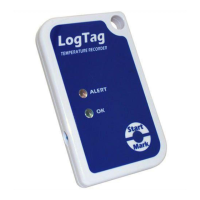
Insert the desired LogTag into the USB cradle. A blank screen will
appear with a menu bar along the top.
Click on LogTag on the top menu and select „Configure‟ in the drop
down menu.
The program will automatically complete step one „Locate LogTag‟ (Top
left screen)
Step 4:
You will now be on Step 2 of the programme > „Configure‟.
Continue through the options and configure the LogTag to your
personal requirements
(Suggestions)
Name your LogTag for identification purposes in the user ID
field.
Disable pre-start logging, unless required.(tick the box- it will
clear)
Only enable wrap around recording if the Logtag will not be
returned to a computer for downloading for an exceptionally long
period.
Set your reading intervals to suit your requirements and
recording duration.
Activate a reading delay (15- 30 minutes) to allow the recorder
to acclimatise.
Set your alert parameters to suit your requirements.
The consecutive reading setting allow for defrost cycles etc, in
an effort not to send “false” alerts for brief excursions.
After configuration click „Next‟ – wait for command and click „Next‟ to
ensure LogTag is ready for use.


 To Next Page
 Loading...