
 Need help?
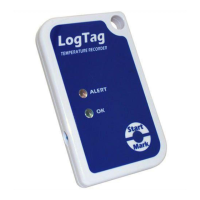
Do you have a question about the LogTag Recorders TRIX-8 and is the answer not in the manual?
Download and install the LogTag Analyser software from the provided link.
Plug in the USB cradle, let it self-install, and open the LogTag Analyser program.
Insert the LogTag into the cradle and select 'Configure' via the software menu.
Customize settings like User ID, reading intervals, and alert parameters for the LogTag.
Press and hold the start button until indicators flash to begin recording.
Steps to reset and reconfigure LogTags for subsequent uses, clearing previous data.
Tips for customizing file naming conventions and reporting formats in the software.
 General
| Brand | LogTag Recorders |
|---|---|
| Model | TRIX-8 |
| Category | Other |
| Language | English |

 To Next Page