Tel: 021 852 7686 Fax: 086 664 7173 Email: info@logtagdata.com
43 Bright street, Somerset West, 7129
Step 5:
Your LogTag is NOW ready.
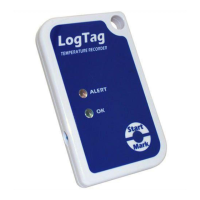
TO START – Push and hold down the „start/mark‟ until the red
and green/ starting display indicators flash and then
release when they stop flashing.
Your recorder is now ACTIVE and will begin recording.
RE-CONFIGURE YOUR LOGTAGS
Repeat steps 2 to 6 each time you want to re-configure your LogTags
for use,
OR Quick re configure if settings are to remain the same.
Previous data will be cleared from the LogTag for re-use.
(Downloaded data will have automatically saved to: >documents>My
LogTag Data)
CONFIGURATION NOTES
Pre-start recorder is utilised if you would like the LogTag to start
taking readings BEFORE you press the start button (usually not
used- remove arrow )
Frequency of readings will directly affect the duration of readings
the recorder can take, typically 8000.
The temperature parameters you set only dictate when the alert
indicator will show and does not affect the recorders reading
capacity.


 To Next Page
 Loading...