
 Need help?
Do you have a question about the LoJack ATS100 and is the answer not in the manual?
Overview of hard-wiring and OBDII passthrough installation methods for the GPS device.
Step-by-step guide for the standard hard-wiring installation of the ATS100 LTE device.
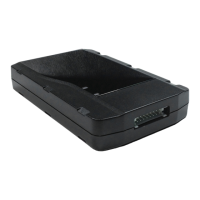
The LoJack ATS100 LTE is a GPS device designed for vehicle tracking and monitoring, manufactured by Spireon. This installation guide outlines two primary methods for integrating the device into a vehicle: a standard hard-wire installation and an optional OBDII pass-through cable installation. The device's core function is to provide location tracking and cellular data connectivity, enabling users to monitor vehicle movement and status.
The LoJack ATS100 LTE serves as a vehicle tracking unit, utilizing GPS technology to pinpoint its location and cellular connectivity to transmit this data. It is equipped with an accelerometer, which allows the device to detect movement and wake up from sleep mode. This feature is crucial for conserving power and ensuring that the device only actively tracks when the vehicle is in motion. The device communicates its status through a series of LED indicators, providing visual feedback on cellular signal acquisition, GPS signal acquisition, and operational modes.
The device operates on a constant 12V power source, typically drawn from the vehicle's electrical system. For hard-wire installations, it requires a connection to a constant 12V source and a solid chassis ground. The ATS100 LTE supports both 2-wire and OBD pass-through installation methods, offering flexibility in how it integrates with different vehicles.
The LED indicators are a key diagnostic feature:
The device requires a clear line of sight for optimal GPS signal reception, meaning it should be mounted away from metallic obstructions. Its accelerometer functionality relies on a firm attachment to the vehicle, typically secured with zip ties, to accurately detect movement.
The LoJack ATS100 LTE is designed for continuous monitoring of vehicle location. Once installed and powered, it will scan for cellular and GPS signals. The device enters a sleep mode when no motion is detected for 10 minutes, conserving power. It automatically wakes up upon detecting movement, making it efficient for long-term tracking without constant battery drain.
The installation process is straightforward, with clear instructions for both hard-wire and OBDII pass-through methods. For hard-wire installations, users need to identify a constant 12V source and a ground point using a digital voltmeter. The red wire of the device harness connects to the 12V source, and the black wire connects to ground. For OBDII installations, the device integrates with the vehicle's existing OBDII port, often requiring the use of a supplied bracket to secure the pass-through cable.
The device's mounting location is critical for performance. It must be positioned in a manner that ensures the "This Side Down" indicator faces the floor of the vehicle and is free from metallic obstructions that could interfere with GPS reception. Proper securing of the device is essential for the accelerometer to function correctly.
The primary "maintenance" aspect for the end-user involves ensuring proper installation and monitoring the LED indicators for troubleshooting. If, after 15 minutes, the device fails to acquire GPS and/or cellular signals (indicated by persistent fast flashing LEDs), repositioning the device is recommended. The LED troubleshooting guide provides a quick reference for diagnosing connectivity issues.
For any support needs, Spireon provides a toll-free support phone number (1-877-563-0032) and an email address (customer_support@spireon.com). This ensures that users have access to assistance for installation queries, troubleshooting, or any other operational concerns. The device itself is designed for low maintenance once correctly installed, with its power-saving features contributing to its long-term operational efficiency within the vehicle's electrical system. There are no explicit user-serviceable parts or routine maintenance tasks beyond ensuring a secure connection and optimal mounting.
 General
| Brand | LoJack |
|---|---|
| Model | ATS100 |
| Category | Automobile Accessories |
| Language | English |

 To Next Page