

EasyManua.ls Logo

LoJack EDGE M - User Manual

LoJack EDGE M
3 pages
Print Icon
To Next Page IconTo Next Page
Loading...
061021
Toll Free Support Phone: 1-877-563-0032
Email: customer_support@spireon.com
GPS DEVICE
INSTALLATION GUIDE
LOJACK EDGE M
Question and Answer IconNeed help?

Do you have a question about the LoJack EDGE M and is the answer not in the manual?

Summary

Installation Options

Standard Installation Method

Describes the hard-wiring method, supporting 2-wire and OBD passthrough.

Standard Installation Instructions

Step-by-step guide for wiring, mounting, and initial power-up for standard installation.

LED Troubleshooting

LED Status Meanings

Explains flashing vs. solid LEDs for signal scanning and acquisition status.

Signal Acquisition Guidance

Information on time for LED activity, GPS lock, and troubleshooting no signals.

Optional OBDii Pass-through Cable Installation

OBDii Pass-through Installation Steps

Instructions for connecting the Edge M using the OBDii port and passthrough cable.
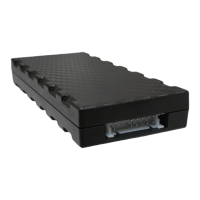
LoJack EDGE M Specifications

General IconGeneral
BrandLoJack
ModelEDGE M
CategoryGPS
LanguageEnglish