
 Need help?
Do you have a question about the LOKERMANN ALTAVISTA XA-5122-D and is the answer not in the manual?
Overview of the auto-darkening helmet and essential safety precautions for use.
Guides on setting shade, sensitivity, delay, grind mode, and headgear fit.
Details on the helmet's power source, battery status, and replacement.
Highlights Real Vision Technology, ADF Saving Mode, and Extra Heat Stability.
Covers cleaning instructions, technical specifications, and solutions for common operational issues.
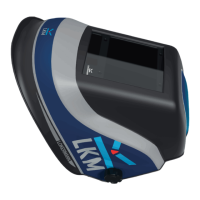
The LOKERMANN ALIA VISTA is an auto-darkening welding helmet designed for enhanced face and eye protection during welding, cutting, spraying, and arc gouging. It incorporates advanced integrated technology, including LCD, optoelectronics detection, solar power, and microelectronics, to provide a safe, fast, and reliable auto-darkening experience. The helmet allows operators to keep both hands free, improving efficiency and weld quality by enabling accurate arc striking while protecting against sparks, spatter, and harmful radiation.
The helmet's core function is to automatically darken the filter when an arc is struck, protecting the operator's eyes from intense light and UV/IR radiation. It then returns to a light state after welding, allowing for clear vision. The "Real Vision Technology" (ALTAVISTA HD) aims to provide improved clarity across the full spectrum of colors, enabling users to weld and grind with precision without needing to remove the helmet. This technology is designed to enhance weld quality, efficiency, and safety.
The helmet features an "ADF Saving Mode" with auto-on and auto-off functions to conserve power and extend the life of the Auto-Darkening Filter (ADF). The ADF automatically switches off when ambient light is below 3 LUX and switches on (entering stand-by mode) when ambient light is above 10 LUX.
An "Extra Heat Stability" function blocks the ADF in a dark state if the working temperature reaches 120°C. The device is designed to operate stably and maintain performance up to 100°C, ensuring welder safety even in severe conditions.
The ADF cartridge size is 114 x 133 x 9.5 mm (4.5" x 5.25"), with an LCD viewing area of 100 x 83.4 mm (3.94" x 3.28"). The light state shade is DIN 4, and the dark variable shades range from DIN 5-9/9-13. UV/IR protection is up to DIN 15 at all times. The switching time from light to dark is 0.08ms. The delay time (dark to light) is adjustable from 1-5 (0.1-0.9s). Sensitivity is adjustable from 1-5 (low-high). The helmet is equipped with 4 arc sensors. It includes a grind function and 3 memory settings. Power is supplied by solar cells and 1 CR2450 lithium battery. The recommended operating temperature range is -10°C to 65°C (14°F to 149°F). Inside PC lens dimensions are 106 x 89.5 x 1 mm, and outside PC lens dimensions are 114 x 133 x 1 mm (4.5" x 5.25"). The helmet meets CE EN379, ANSI Z87.1, and CSA Z94.3 standards, with a classification of 1/1/1/1.
Users should check for light tightness, ensure inside and outside protection lenses are clean, and that no dirt covers the sensors. Protection films on both lenses must be removed. All operating parts should be inspected for wear or damage, and any scratched, cracked, or pitted parts replaced immediately. To activate the screen, press any button. To select shade, delay, or sensitivity, press the respective button. If in grind mode, press the grind button to activate the screen, then press again to switch to weld mode.
For shades 5-9, press the WELD/GRIND button repeatedly until icons 2 and 4 appear on the screen, then press the SHADE button repeatedly until the desired shade is shown in icon 8. For shades 9-13, press the WELD/GRIND button repeatedly until icons 2 and 5 appear on the screen, then press the SHADE button repeatedly until the desired shade is shown in icon 8. Users should choose an optimum shade number based on the welding process or application (refer to Table 1). If the ADF does not darken, stop welding and contact a representative.
The sensitivity to different light levels can be adjusted from 1 (low) to 5 (high). Press the SENSITIVITY button twice to start the setting. Icon 6 on the screen flashes (1-5). Repeatedly press the SENSITIVITY button until the desired level is shown in icon 6. Turning to 1 (low) decreases photosensitivity, suitable for high amperage welding and bright light conditions (lamp light or sunlight). Turning to 5 (high) increases photosensitivity, suitable for low amperage welding and poor light conditions, or steady arc processes like TIG welding. A higher sensitivity setting is recommended for normal use.
The delay time for the ADF to return to the light state after welding can be adjusted from 1-5 (0.1-0.9s). This protects the welder's eyes from strong residual rays. Press the DELAY button twice to start the setting. Icon 7 on the screen flashes (1-5). Repeatedly press the DELAY button until the desired length of time is shown in icon 7. Turning to 1 (0.1s) shortens the lighten time, ideal for track welding or production welding with short welds. Turning to 5 (0.9s) lengthens the lighten time, ideal for high amperage welding where there is an afterglow.
Press the WELD/GRIND button repeatedly until icon 3 appears on the screen and the red light beside the button flashes. Icon 8 will show shade 4. It's important not to weld in grind mode, as the ADF will not darken.
Three frequently used settings can be stored and reactivated using the 3 JOB buttons (12) on the right side of the screen. The last ADF settings are automatically stored (about 5 minutes after use) and reactivated when starting to weld again. To store a completed welding setting, press and hold one of the JOB buttons until icon 9 stops flashing. To activate a stored memory, press the JOB button. Note: Memory activation is only possible in welding status; switch to welding if currently using the grinding function.
The headband can be adjusted in 5 parameters to accommodate different head shapes, work positions, and observing angles:
The auto-darkening helmet requires little maintenance. It should be cleaned with a clean, soft piece of cloth moistened with soft soap, pure alcohol, or commercial disinfectant. The inside and outside of the helmet should be wiped. It should be stored dry. The helmet or ADF should not be immersed in water.
The helmet is powered by solar cells and 1 CR2450 lithium battery. To change the battery, open the battery holder (8) at the side of the ADF and replace the battery (9).
Icon 1 indicates the battery status. The battery should be replaced when it is low, as a low battery will slow the ADF switching time and compromise shade accuracy.
 General
| Brand | LOKERMANN |
|---|---|
| Model | ALTAVISTA XA-5122-D |
| Category | Motorcycle Accessories |
| Language | English |

 To Next Page