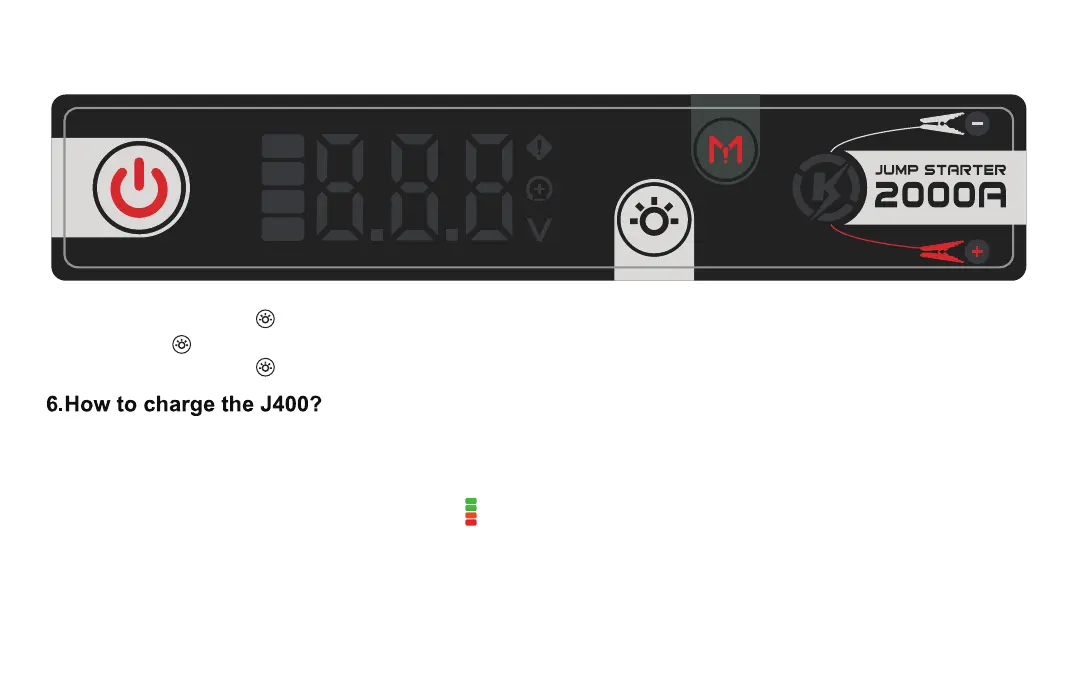
5. How to use LED lights?
5.1 Press and hold the " " for 1S, the LED light will light up;
5.2 Press the " " repeatedly to switch modes: steady on, strobe, SOS, and o;
5.3 Press and hold the " " for 2 seconds to force the LED light o.
6.1 Tool preparation: power adapter (PD2.0/PD3.0 protocol power adapter), USB-C to USB-C cable, USB-A to
USB-C cable;
6.2 One end of the USB cable, A po, is connected to the power adapter, and the other end, C po, is connected
to the USB-C charging po of the product. The on the screen lights up, indicating that the product is charging
normally;
6.3 When the product is exhausted or has low batte, please charge it in time to prevent abnormal batte
undeoltage.
6.4 A long-term zero-batte state may cause the product to be unable to charge.


 To Next Page