06
45°
Step 4: Collect your urine in the cup included in the package. Pay attention to
the tick marks.
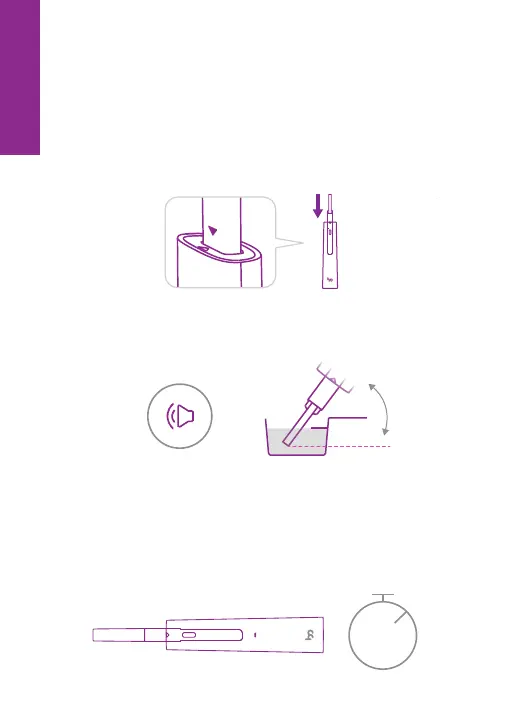
Step 5: Remove the lid of the main body. When you hear a beep or see the
status light flashing (once every three seconds), it indicates that Femometer
Ivy is on. Remove the test midstream cover, and insert the test midstream
into the device. (Please make sure that the test midstream is inserted all the
way to the bottom and the whole arrow has disappeared.)
Step 6: Dip the top of the test midstream into the urine and hold it until you
hear a "beep" (at the same time, the status light starts fast flashing). Then
pull it out and put the test midstream lid back on.
Note: But don’t drink too much liquid before testing.
Step 7: Place the product on a flat surface. The LED light will be flashing during
the testing. Wait for about 6-10 minutes till you hear three beeps which
indicate that the test is completed. The test result will be displayed via the LED
light. If the light goes out after some time, pulling out the test strip, or putting
back & pulling out the main body lid again will enable the last test result to
show again.
Note: For LH, when you get a “++” result, please keep testing every 4-6 hours until it
shows “+”, which indicates that you have ovulated.
6-10min
EN



 To Next Page