EasyManua.ls Logo

LOMI XO-9917 - User Manual

LOMI XO-9917
7 pages
Print Icon
To Next Page IconTo Next Page
Loading...
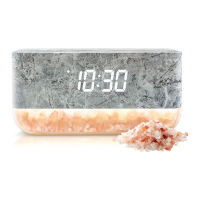
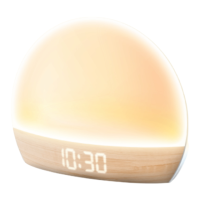
Sunrise Alarm Clock with Himalayan Salt Lamp
& Wireless Charger
Instrucon Manual
XO-9917
XO-9917 Sunrise Alarm Clock with Wireless Charger (x1)
Power Cable (x1)
User Manual (x1)
This product is NOT a toy, keep away from children and pets.
Only use the device according to the instrucons in this manual. Never
use the device for anything other than its intended purpose.
This device is NOT a substute for proper medical equipment or
aenon.
ONLY use the supplied power cable.
Do not open this product or aempt to repair the unit yourself if it is
not working properly. Doing so risks re, shock or injury.
When not in use, the device should be stored in a dry, cool locaon,
away from sources of water or heat.
Do not expose device or power cable to extreme temperatures (heat or
cold), open ames, humid or wet condions.
Do not submerge in water. Do n
ot use in a locaon where the device or
power cable could fall into liquid.
Unplug the charging cable when not in use. Do not pull the charging
cable to disconnect, or use the cable as a handle.
Do not use if device or power cable is damaged. If device or power
cable is damaged, it MUST be serviced or replaced by the manufacturer
or its service agent before using again.
Aachments on the back of your device can impede eecveness of
the wireless charger, and lead to overheang. Remove aachments
from your device before charging on this wireless charger.
Safety Precauons
In the Box
READ ALL INSTRUCTIONS CAREFULLY BEFORE USE AND KEEP THIS
MANUAL
Seng the Alarm
Press the [SET] buon unl the alarm me is displayed.
Press the [DOWN] buon to turn the alarm ON or OFF. The dot in
the lower le corner of the clock display will light up when the
alarm is turned on.
The clock display will turn on when the clock is connected to power.
If the clock is disconnected from power, it will only save the me
and sengs for 60 seconds.
Display Modes
Press the [UP] buon on the back of the clock to switch between
clock display modes. Press the [SET] buon to save as the default
mode.
Mode 1 shows the me for 10 seconds and the date and
temperature for 2 seconds.
Mode 2 shows the me, alarm, date and temperature at all mes.
Seng the Time
Press the [SET] buon unl the me is displayed.
Press and hold the [SET] buon to set the me. The me hours will
begin ashing. Press the [UP] and [DOWN] buons to adjust. The
dot in the upper le corner of the display will appear when the hour
is PM. Press the [SET] buon to save the hour seng.
The minute digits will begin ashing. Press the [UP] and [DOWN]
buons to adjust, and press the [SET] buon to save. The clock will
return to its default display mode.
Changing Temperature Units
Press the [SET] buon unl the temperature is displayed.
Press the [DOWN] buon to switch between degrees Fahrenheit (F)
and Celsius (C).
Press the [SET] buon to save. The clock will return to default
display mode.
When the alarm is turned on, press and hold the [SET] buon to set
the alarm me. The alarm hours will begin ashing. Press the [UP]
and [DOWN] buons to adjust. Press the [SET] buon to save alarm
hour seng.
The alarm minute digits will begin ashing. Press the [UP] and
[DOWN] buons to adjust, and press the [SET] buon to save. The
clock will return to its default display mode.
Seng the Date
Press the [SET] buon unl the date is displayed.
Press and hold the [SET] buon to set the date. The year will begin
ashing. Press the [UP] and [DOWN] buons to adjust. Press the
[SET] buon to save year seng.
The month will begin ashing. Press the [UP]
and [DOWN] buons
to adjust, and press the [SET] buon to save month seng.
The day will begin ashing. Press the [UP] and [DOWN] buons to
adjust, and press the [SET] buon to save. The clock will return to
default display mode.
Using the Bedside Light
Press the [SNOOZE/LIGHT] buon on the top of the clock to turn
the bedside light ON in white light mode.
Press the [SNOOZE/LIGHT] buon to adjust the light brightness
between low, medium and
high.
Press and hold the [SNOOZE/LIGHT] buon to switch to color-
changing light mode.
In color-changing light mode, press the [SNOOZE/LIGHT] buon to
choose a light color.
Press and hold the [SNOOZE/LIGHT] buon to switch back to white
light mode.
Snooze Funcon
Press the [SNOOZE/LIGHT] buon on the top of the clock when the
alarm goes o to acvated the Snooze funcon. The alarm will ring
again in 5 minutes. The sunrise light will connue to shine at full
brightness during the snooze me.
To turn the alarm and sunrise light o completely, press and hold
the [SNOOZE/LIGHT] buon when alarm goes o. This only turns
them o for the day, and they will acvate again as normal the next
d
ay.
Using the Sunrise Light
The clock’s sunrise light funcon will turn on 20 minutes before
your alarm me, and gradually increase in brightness unl your
alarm goes o.
To use the sunrise light, set the alarm before your go to sleep.
Wireless Charging & USB Output
Note:
The bedside light can only be powered OFF from white light mode.
The bedside light can NOT be used when the clock is in sunrise mode
or snooze mode.
The LED indi
cator will ash RED and BLUE alternavely, then turn
RED to indicate the charging pad is in standby mode and ready to
begin charge, when the clock is connected to power.
Place a wireless charging enabled device on the charging pad, the
wireless charger will begin to charge automacally. The LED
indicator will glow BLUE to indicate your device is charging properly.
If your device does not begin to charge, try reposioning your
devi
ce on the charging pad. You may need to remove your
smartphone case to charge properly.
When your device is fully charged, the wireless charging LED
indicator will turn RED. Remove your device from the charging pad.
Note: If the LED indicator is ashing RED and Blue when the charging
pad is in use, either the device is NOT wireless charging enabled, or
there is an object between the device and charging pad interfering with
the charging
process.
To power or to charge a USB device using the USB power output
port on the back of the clock, simply plug your device’s USB
connector into the USB output port and
the other end into your
device.
Tech Specicaons
USB-C Input: DC 5V/2A
Wireless Charging Output: 5W (Max)
USB-A Output: DC 5V/1A
FCC Informaon
TThis device complies with Part 15 of the FCC rules. Operation is subject
to the following two conditions: 1) this device may not cause harmful
interference, and 2) this device must accept any interference
received, including interference that may cause undesired operation.
Note: This equipment has been tested and found to comply with the
limits for a Class B digital device, pursuant to part 15 of the FCC
Rules. These limits are designed to provide reasonable protection
against harmful interference in a residential installation.
This equipment generates uses and can radiate radio frequency
energy and, if not installed and used in accordance with the
instructions, may cause harmful interference to radio
communications. However, there is no guarantee that interference
will not occur in particular installation. If this equipment does cause
harmful interference to radio or television reception, which can be
determined by turning the equipment off and on, the user is
encouraged to try to correct the interference by one or more of the
following measures:
--Reorient or relocate the receiving antenna.
--Increase the separation between the equipment and receiver.
--Connect the equipment into an outlet on a circuit different from that
to which the receiver is connected.
--Consult the dealer or an experienced radio/TV technician for help.
Made in China
Product
Connecng to Power
Plug the small connector of the included charging cable into the
USB-C charging port on the clock.
Plug the large connector into a USB power source, such as a
compable 5V/2A USB power adapter (not included) and plug into
a wall outlet.
Wireless Charging Surface
83MM
front
back
83MM 83MM 83MM
83MM 83MM 83MM 83MM
120MM120MM
Changes or modifications not expressly approved by the party responsible
for compliance could void the user’s authority to operate the
equipment.
Radiation Exposure Statement
This device complies with FCC RF radiation exposure limits set forth
for an uncontrolled environment. This transmitter must not be
co-located or operating in conjunction with any other antenna or
transmitter. During the operation of device a distance of 15 cm
surrounding the device and 20 cm above the top surface of the
device must be respected.

Question and Answer IconNeed help?

Do you have a question about the LOMI XO-9917 and is the answer not in the manual?

Summary

Safety Precautions

Product Operation

Connecting to Power

Instructions for connecting the clock to a power source using the included charging cable and a USB adapter.

Display Modes

Details on how to switch between and set default clock display modes showing time, date, and temperature.

Setting the Time

Step-by-step guide to setting the current time on the alarm clock display.

Setting the Alarm

Instructions for turning the alarm on/off and setting the alarm time.

Setting the Date

Procedure for setting the year, month, and day on the alarm clock.

Changing Temperature Units

How to switch the temperature display between Fahrenheit and Celsius.

Using the Bedside Light

Guide to operating the bedside light, adjusting brightness, and changing colors.

Using the Sunrise Light

Explanation of the sunrise light feature that gradually brightens before the alarm.

Snooze Function

How to activate the snooze feature when the alarm sounds and how to turn off alarm/light.

Wireless Charging & USB Output

Information on using the wireless charging pad and the USB power output port.

Technical and Compliance Information

Tech Specifications

Details on the device's input, wireless charging, and USB output specifications.

FCC Information

Compliance details regarding FCC rules, interference, and radiation exposure limits.

Overview

The Sunrise Alarm Clock with Himalayan Salt Lamp & Wireless Charger (XO-9917) is a multi-functional device designed to enhance your daily routine with its alarm, lighting, and charging capabilities. This product is not a toy and should be kept away from children and pets. It is intended for use according to the instructions provided in the manual and should not be used for any other purpose. It is important to note that this device is not a substitute for proper medical equipment or attention.

Function Description:

The core functions of the XO-9917 include:

  • Alarm Clock: Displays time, alarm time, date, and temperature. Features a snooze function and a sunrise light function to gradually wake you up.
  • Himalayan Salt Lamp/Bedside Light: Provides ambient lighting with adjustable brightness and color-changing modes.
  • Wireless Charger: Allows for wireless charging of compatible devices.
  • USB Power Output: Provides a USB-A port for charging other devices.

Important Technical Specifications:

  • USB-C Input: DC 5V/2A
  • Wireless Charging Output: 5W (Max)
  • USB-A Output: DC 5V/1A

Usage Features:

Connecting to Power:

To power the clock, plug the small connector of the included charging cable into the USB-C charging port on the clock. Then, plug the large connector into a USB power source, such as a compatible 5V/2A USB power adapter (not included), and plug it into a wall outlet. The clock display will turn on. If disconnected from power, the clock will only save the time and settings for 60 seconds.

Display Modes:

The clock offers two display modes, which can be switched by pressing the [UP] button on the back of the clock. Press the [SET] button to save the default mode.

  • Mode 1: Shows the time for 10 seconds, then the date and temperature for 2 seconds.
  • Mode 2: Shows the time, alarm, date, and temperature at all times.

Setting the Time:

  1. Press the [SET] button until the time is displayed.
  2. Press and hold the [SET] button to set the time. The hour digits will begin flashing.
  3. Use the [UP] and [DOWN] buttons to adjust the hour. A dot in the upper left corner of the display indicates PM.
  4. Press the [SET] button to save the hour setting.
  5. The minute digits will begin flashing. Use the [UP] and [DOWN] buttons to adjust the minutes.
  6. Press the [SET] button to save. The clock will return to its default display mode.

Setting the Alarm:

  1. Press the [SET] button until the alarm time is displayed.
  2. Press the [DOWN] button to toggle the alarm ON or OFF. A dot in the lower left corner of the clock display indicates when the alarm is ON.
  3. When the alarm is turned on, press and hold the [SET] button to set the alarm time. The alarm hour digits will begin flashing.
  4. Use the [UP] and [DOWN] buttons to adjust the alarm hour.
  5. Press the [SET] button to save the alarm hour setting.
  6. The alarm minute digits will begin flashing. Use the [UP] and [DOWN] buttons to adjust the alarm minutes.
  7. Press the [SET] button to save. The clock will return to its default display mode.

Setting the Date:

  1. Press the [SET] button until the date is displayed.
  2. Press and hold the [SET] button to set the date. The year will begin flashing.
  3. Use the [UP] and [DOWN] buttons to adjust the year.
  4. Press the [SET] button to save the year setting.
  5. The month will begin flashing. Use the [UP] and [DOWN] buttons to adjust the month.
  6. Press the [SET] button to save the month setting.
  7. The day will begin flashing. Use the [UP] and [DOWN] buttons to adjust the day.
  8. Press the [SET] button to save. The clock will return to its default display mode.

Changing Temperature Units:

  1. Press the [SET] button until the temperature is displayed.
  2. Press the [DOWN] button to switch between degrees Fahrenheit (°F) and Celsius (°C).
  3. Press the [SET] button to save. The clock will return to its default display mode.

Using the Bedside Light:

  • Press the [SNOOZE/LIGHT] button on the top of the clock to turn the bedside light ON in white light mode.
  • Press the [SNOOZE/LIGHT] button again to adjust the light brightness between low, medium, and high.
  • Press and hold the [SNOOZE/LIGHT] button to switch to color-changing light mode.
  • In color-changing light mode, press the [SNOOZE/LIGHT] button to choose a specific light color.
  • Press and hold the [SNOOZE/LIGHT] button again to switch back to white light mode.
  • Note: The bedside light can only be powered OFF from white light mode. It cannot be used when the clock is in sunrise mode or snooze mode.

Using the Sunrise Light:

  • The clock's sunrise light function will turn on 20 minutes before your set alarm time. It will gradually increase in brightness until your alarm goes off, simulating a natural sunrise.
  • To use this feature, ensure the alarm is set before you go to sleep.

Snooze Function:

  • When the alarm goes off, press the [SNOOZE/LIGHT] button on the top of the clock to activate the snooze function. The alarm will ring again in 5 minutes. The sunrise light will continue to shine at full brightness during the snooze period.
  • To turn the alarm and sunrise light off completely for the day, press and hold the [SNOOZE/LIGHT] button when the alarm goes off. They will activate again as normal the next day.

Wireless Charging:

  1. When the clock is connected to power, the LED indicator will flash RED and BLUE alternatively, then turn RED to indicate the charging pad is in standby mode and ready to charge.
  2. Place a wireless charging enabled device on the charging pad. The wireless charger will begin to charge automatically, and the LED indicator will glow BLUE to indicate proper charging.
  3. If your device does not begin to charge, try repositioning it on the charging pad. You may need to remove your smartphone case for proper charging.
  4. When your device is fully charged, the wireless charging LED indicator will turn RED. Remove your device from the charging pad.
  5. Note: If the LED indicator is flashing RED and BLUE when the charging pad is in use, it indicates either that the device is not wireless charging enabled, or there is an object between the device and the charging pad interfering with the charging process.

USB Output:

To power or charge a USB device using the USB power output port on the back of the clock, simply plug your device's USB connector into the USB output port and the other end into your device.

Maintenance Features:

  • Storage: When not in use, the device should be stored in a dry, cool location, away from sources of water or heat.
  • Handling: Do not expose the device or power cable to extreme temperatures (heat or cold), open flames, or humid/wet conditions. Do not submerge in water or use in locations where the device or power cable could fall into liquid.
  • Cable Management: Unplug the charging cable when not in use. Do not pull the charging cable to disconnect, or use the cable as a handle.
  • Damage: Do not use if the device or power cable is damaged. If damaged, it MUST be serviced or replaced by the manufacturer or its service agent before using again.
  • Wireless Charging Optimization: Attachments on the back of your device can impede the effectiveness of the wireless charger and lead to overheating. Remove any attachments from your device before charging on this wireless charger.
  • Repair: Do not open this product or attempt to repair the unit yourself if it is not working properly, as this risks fire, shock, or injury.

FCC Information:

This device complies with Part 15 of the FCC rules. Operation is subject to two conditions: (1) this device may not cause harmful interference, and (2) this device must accept any interference received, including interference that may cause undesired operation. This equipment has been tested and found to comply with the limits for a Class B digital device, pursuant to part 15 of the FCC Rules. These limits are designed to provide reasonable protection against harmful interference in a residential installation. This equipment generates, uses, and can radiate radio frequency energy and, if not installed and used in accordance with the instructions, may cause harmful interference to radio communications. However, there is no guarantee that interference will not occur in a particular installation. If this equipment does cause harmful interference to radio or television reception, which can be determined by turning the equipment off and on, the user is encouraged to try to correct the interference by one or more of the following measures: reorient or relocate the receiving antenna; increase the separation between the equipment and receiver; connect the equipment into an outlet on a circuit different from that to which the receiver is connected; or consult the dealer or an experienced radio/TV technician for help. Changes or modifications not expressly approved by the party responsible for compliance could void the user's authority to operate the equipment.

Radiation Exposure Statement:

This device complies with FCC RF radiation exposure limits set forth for an uncontrolled environment. This transmitter must not be co-located or operating in conjunction with any other antenna or transmitter. During the operation of the device, a distance of 15 cm surrounding the device and 20 cm above the top surface of the device must be respected.

LOMI XO-9917 Specifications

General IconGeneral
BrandLOMI
ModelXO-9917
CategoryAlarm Clock
LanguageEnglish