EasyManua.ls Logo

LOMVUM LV Series - User Manual

LOMVUM LV Series
6 pages
Print Icon
To Next Page IconTo Next Page
Loading...
Measuring Range0.2~40m Accuracy ±2mm
Class 2 Laser Product
WARNING
Laser Distance Meter
www.lomvumtools.com
Made in China
LV5800
LASER RADIATION, DO NOT STARE INTO BEAM
Question and Answer IconNeed help?

Do you have a question about the LOMVUM LV Series and is the answer not in the manual?

Summary

Safety and Warnings

Laser Safety Warning

Class II laser product warning: do not stare into beam through optical lens to avoid eye harm.

Operation and Settings

Measurement Functions

Single Distance Measurement

Procedure for performing a single distance measurement using the laser rangefinder.

Indirect Measurement (Pythagorean Theorem)

Using Pythagorean theorem for measuring distances not easily accessible.

Advanced Operations

Technical Information and Troubleshooting

Technical Parameters

Detailed specifications and performance characteristics of the laser rangefinder.

Fault Codes and Solutions

Explanation of error codes and recommended methods for resolving issues.

Overview

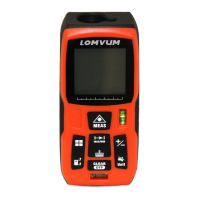
The LOMVUM LV series portable laser rangefinder is an engineering measurement tool designed for stable, reliable, and simple operation. It aims to reduce labor costs by minimizing the need for multiple personnel in measurement tasks. This device is widely used across various industries, establishing it as a classic portable laser rangefinder.

Function Description

The laser rangefinder offers a variety of measurement functions to meet diverse user needs, providing a high-quality measurement experience. These functions include:

  • Single Distance Measurement: Activates the laser with a short press of the MEAS button, and a second press performs the measurement. The laser immediately turns off after measurement, and results are displayed on the screen.
  • Continuous Measurement (Maximum and Minimum Measurement): Initiated by pressing the MAX/MIN button. This function continuously measures and displays minimum and maximum values on the screen. It can be stopped by pressing either the MEAS or CLEAR/OFF button. The continuous measurement function automatically stops after five minutes of inactivity.
  • Area Measurement: Activated by pressing the button once. Users measure the first length (e.g., length) and then the second length (e.g., width). After the second measurement, the area and circumference calculations are simultaneously displayed on the main screen.
  • Volume Measurement: Activated by pressing the button twice. Users measure the first length, then the second length (width), and finally the third length (height). After the third measurement, the volume calculation result is automatically displayed on the main display line.
  • Indirect Measurement (Pythagorean Theorem I): This function helps measure distances that are difficult to reach, such as building heights or widths, or when a height needs to be determined by two or three distances. It is activated by pressing the button three times. The user aims at the top point for the first measurement, keeping the instrument level. The second measurement is taken by aiming at the bottom point. The calculated distance of the third side is then shown on the main display area.
  • Indirect Measurement (Pythagorean Theorem II): This advanced Pythagorean function is activated by pressing the button four times. It involves three measurements: aiming at the top point, then the middle point, and finally the bottom point, all while keeping the instrument level. The calculated distance of the fourth side is displayed on the main display area.
  • Addition/Subtraction Calculation: Allows for adding or subtracting measurements of distance, area, or volume. A short press of the "+" button performs addition, while a long press performs subtraction. These functions can be operated repeatedly.
  • History Storage Function: The device stores the last 20 measured or calculated values. These can be reviewed by continuously pressing the "History record/Clear" button. In review mode, a long press of this button clears the current record.

Usage Features

  • Turn On/Off: Long press the MEAS button to turn on and the CLEAR/OFF button to turn off. The instrument automatically powers off after three minutes of inactivity.
  • Back/Clear Data: A short press of the CLEAR/OFF button allows users to go back or delete data.
  • Measurement Benchmark Setting: The default benchmark is the back side of the instrument. A short press of the "Benchmark" button switches the measurement benchmark to the front. The benchmark automatically reverts to the default (back) after restart.
  • Sound Control: A short press of the "Sound/Unit switch" button toggles the sound on or off.
  • Unit Switching: A long press of the "Sound/Unit switch" button allows users to switch measurement units among meters (m), feet (ft), inches (in), and feet+inches (ft+in). The instrument automatically switches to "m" after restart.
  • Display Screen: Features a comprehensive display including laser status, benchmark indicators (front/back), length/continuous measurement icons, tool icons, measurement pattern icons, battery status, history record/data output, and four display lines for showing first, second, third, and main measurement/calculation results.

Important Technical Specifications

  • Maximum Range of Measurement: Varies by model version, typically 0.2~40/50/60/80/100/120 m. Users should refer to the outer packaging for the actual range.
  • Measurement Accuracy: ±1.5mm under good conditions (good measuring surface, indoor temperature, and light). Accuracy may decrease in strong light, with weak target reflection, or large temperature differences.
  • Measurement Unit: m/ft/in/ft+in.
  • Laser Class: Class 2.
  • Laser Type: 635nm, <1mW.
  • Four Display Lines: Provides detailed measurement information.
  • Buzzer: Included for audible feedback.
  • Historical Measurement Record: Stores up to 20 groups of data.
  • Button Type: Soft rubber button.
  • Operating Temperature: 0℃ ~ 40℃.
  • Storage Temperature: -10℃ ~ 60℃.
  • Battery Life: Up to 5000 times.
  • Battery Selection: AAA2 x 1.5V.
  • Automatic Laser Shutdown: 30 seconds.
  • Automatic Instrument Shutdown: After 3 minutes.
  • Instrument Dimension (mm): 1165228.
  • Weight (g): 135.

Maintenance Features

  • Calibration: If measurements are inaccurate under normal conditions, calibration is required. The calibration method involves turning off the device, pressing four specific buttons simultaneously to enter the calibrate page, and then using the "+/-" button to adjust the error until it matches an exact value. A long press adds, and a short press reduces the value.
  • Error Codes: The device displays specific codes for errors or failures, such as "Calculation error" (204), "Current over-limitation" (208), "Low battery" (220), "High temperature" (252), "Low temperature" (253), "Reflected light received is weak" (255), "Received signal is too strong" (256), "Out of range" (261), and "Hardware error" (500). Each code has a corresponding method for resolution, often involving repeating procedures, replacing batteries, adjusting environmental conditions, using a sighting board, or contacting the dealer.
  • Environmental Considerations: Users are advised to avoid direct sunlight as strong sunlight can weaken laser energy and affect accuracy. For measurements through transparent objects (glass, water) or on highly reflective/absorbent surfaces, using an attached target card or opaque reflective plate is recommended to improve accuracy.

LOMVUM LV Series Specifications

General IconGeneral
BrandLOMVUM
ModelLV Series
CategoryMeasuring Instruments
LanguageEnglish