10
Precaution
• Once the low baery signal is displayed, the unit will not be available unless
you replace new baery.
• Please use 4 standard"AAA", long-lasng alkaline baeries.
• Remove baery if the unit is to remain unused for an extended period.
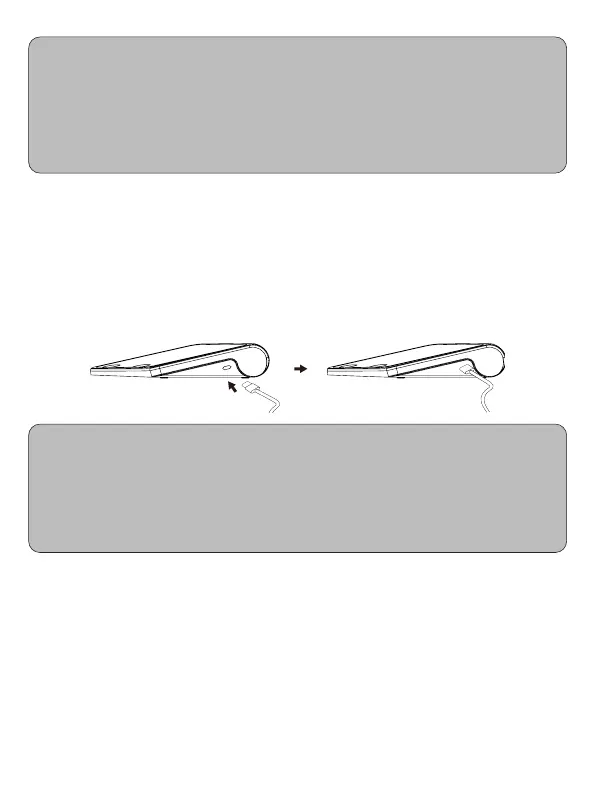
5.2 Use adapter
Except the baery, this unit can also use a USB 5V adapter. Must use the original
or medical power supplies that meet medical standards. (example: IEC 60601-1
certification). Transformer connects to power socket is shown on the following.
Adaptor connects to the power socket of the product and press the [START/STOP]
[MEM] buon to test if it is power.
• Power source is adapter instead of a baery when using adapter.
• If power failure suddenly during measurement (for example, adapter plug is
disconnected to power outlet), adapter single-pin plug should be unplugged
and reinsert into the unit again.
• Any problems about adapter, please consult purchased dealer locally.
5.3 Connect to Cuff
After removing the cuff, connect the trachea of the cuff to the tracheal connection
hole on the left side of the unit (the hole marked with the cuff mark). The air pipe
should be properly connected when connecting to prevent the air path from being
bent or blocked.
5.4 User switch
The default is user 1. In OFF mode, long press the [START/STOP], the user 1 icon is
flashing. Press [MEM] to switch to user 2, then press [START/STOP] again to save.


 To Next Page