5. Convection Cooking(With preheating funtion)
1) Press the "CONVECTION " key once, "140" flash.
2) Keep pressing "CONVECTION" or turn " " to select the convection temperature.
3) Press the " START/+30SEC./CONFIRM " to confirm the temperature.
4) Press the " START/+30SEC./CONFIRM " to start preheating.When the
preheating temperature arrives, the buzzer will sound twice to remind you to
put the food into the oven. And the preheated temperature is displayed and flash.
5) Put the food into the oven and close the door.
Turn " " to adjust the cooking time. (The maximum setting time is 95 minutes.)
6) Press the " START/+30SEC./CONFIRM " key to start cooking.
The convection cooking can let you to cook the food as a traditional oven. Microwave is not
used. It is recommended that you should preheat the oven to the appropriate temperature
before placing the food in the oven.
Note:the temperature can be chosen from 1
Note: a. Cooking time cannot be input until the preheating temperature arrives.
If the temperature arrives, door must be opened to input the cooking time.
b. If the time not input in 5 minutes, the oven will stop preheating. The buzzer sound
five times and turn back to waiting states.
Instructions
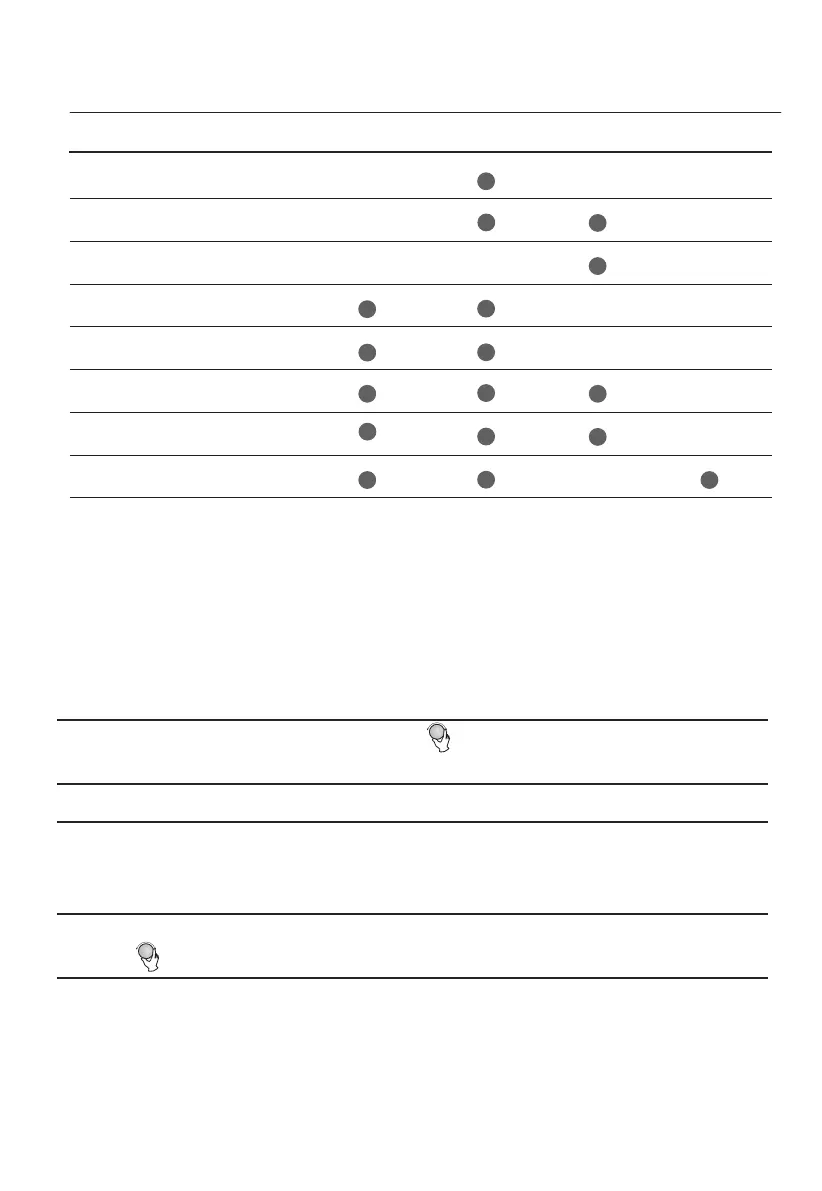
Microwave
Display
Convection
1
2
3
4
C-1
Note: Combination instructions
C-2
C-3
C-4
C-5
Upper grill Lower grill
G-1
G-2
G-3
40 degrees to 230 degrees.
5
6
7
8


 To Next Page