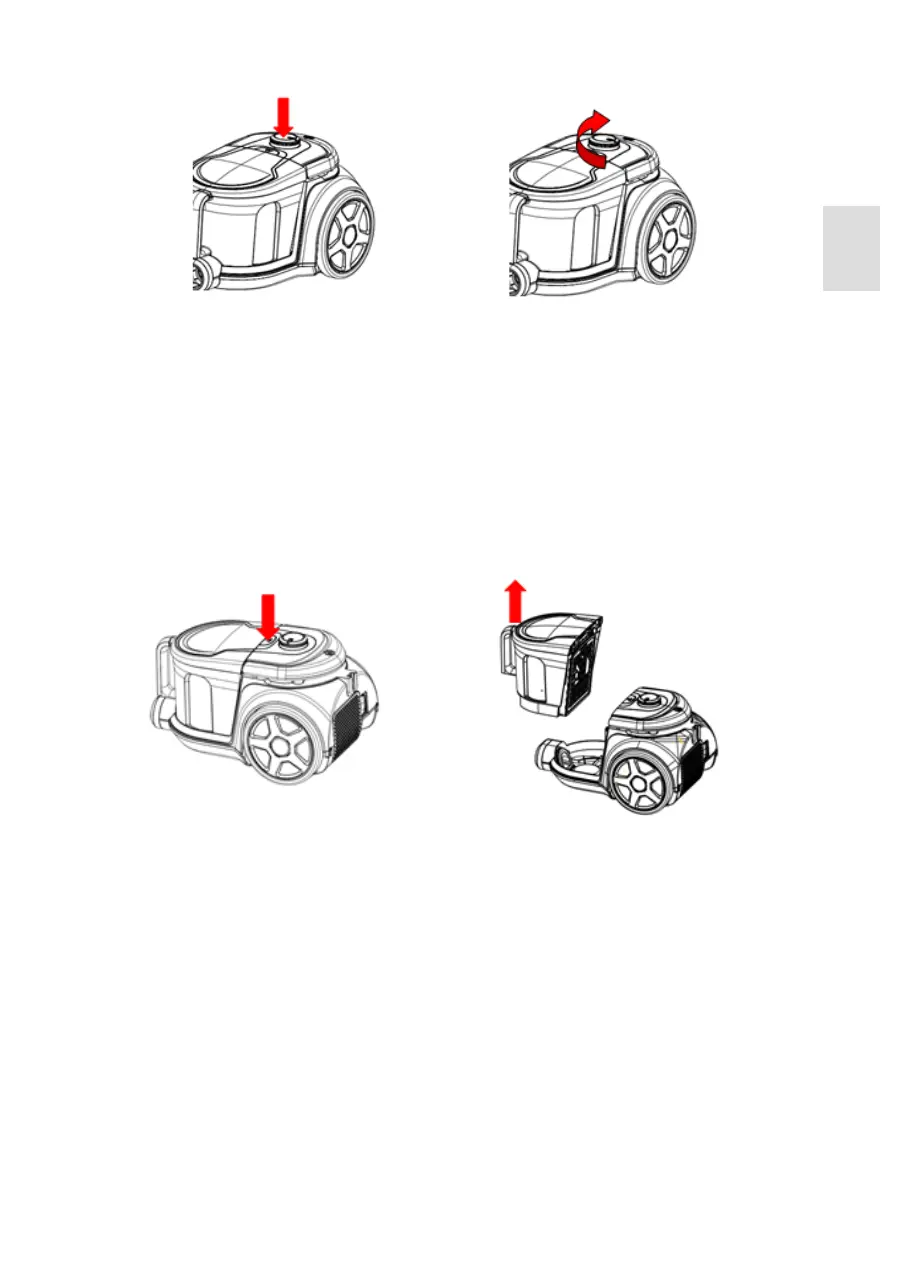
Fig. 5a Put the plug into the socket; push the On/off button to switch the appliance on.
Fig. 5b Rotate the suction control button to adjust the suction power to requested level.
Note: You can adjust the suction power also by using the suction flap on the ergonomic handle.
CLEANING OF THE DUST TANK
Fig. 5a Fig. 5b
Fig. 6 Fig. 7
Fig. 6 Hold the dust tank handle and push the release button.
Fig. 7 Take the dust tank out of the appliance.
ENGLISH
27


 To Next Page