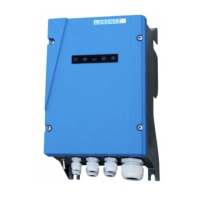
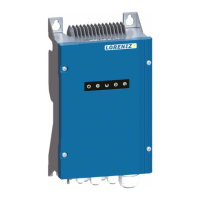
Status Description
System (green) – The controller is switched on and
power is available. In low-power conditions, the light
may show even if there is not enough power to run
the pump.
Flashing indicates the pump is not runnung due to
settings, e.g. a timer set up with PumpScanner or the
power switch is in OFF position.
Pump (green) – Pump is running. The sequence of
flashing indicates pump speed (RPM). RPM can be read
off by the flashing sequence of the Pump ON LED:
RPM
LED On > 900
1 flash > 1200
2 flashes > 1600
3 flashes > 2000
4 flashes > 2400
5 flashes > 2800
Pump (red) – An error has occured, please check with
PumpScanner for details.
Flashing indicates that the controller’s thermal protec-
tion was triggered due to a too high temperature. The
controller has reduced the motor speed or stopped the
pump. It will automatically speed up or restart after
cooling down.
Source low (red) – The water source has dropped
below the level of the low-water probe or the water
sensor has detected air in the suction pipe. After the
water level recovers or the suction pipe has been re-
filled with water, the pump will restart after a delay of
15 minutes. Flashing indicates that the controller has
stopped due to a “SOURCE LOW” incident detected
earlier. The number of flashes indicates the number of
incidents (up to three). Toggle the ON/OFF switch to
reset this indicator.
Remote switch (red) – A pump shutdown was trig-
gered by the remote switch wired to terminals 3 and 4.
66 Operating the Pump


 To Next Page