Need help?
Do you have a question about the Lorex N862 Series and is the answer not in the manual?
Connect cameras to the NVR using either direct connection or a PoE switch/router for initial testing.
Connect the NVR to a monitor using an HDMI or VGA cable for video output.
Connect the NVR to your network router using an Ethernet cable for internet access.
Connect the included USB mouse to the NVR for system navigation.
Connect the NVR to a power outlet using the included adapter and power it on.
Follow the on-screen wizard to configure core system settings and create a password.
Access system functions like Main Menu, Playback, and Camera Settings by right-clicking the live view screen.
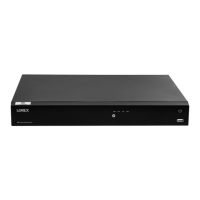
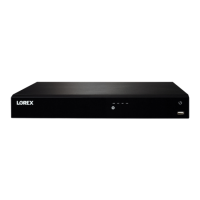
This document describes the setup, operation, and maintenance of the Lorex N862 Series 4K Ultra HD Security NVR. It serves as a quick start guide for physical setup and essential system settings, followed by more detailed instructions for advanced features.
The Lorex N862 Series NVR functions as a central recording unit for a security camera system, capable of managing and storing video footage from multiple cameras. It supports 4K Ultra HD resolution, providing high-quality video surveillance. The system is designed for both local and remote viewing, offering flexibility in how users monitor their property.
The initial setup involves connecting cameras, a monitor, a router, and a mouse to the NVR. Cameras can be connected directly to the recorder (recommended) or via a PoE switch or router on the network. The NVR supports both HDMI (up to 4K) and VGA (up to 1080p) for monitor connectivity. An Ethernet cable connects the NVR to a router for network access, enabling remote viewing and firmware updates. A USB mouse is used for navigating the system's interface. The NVR is powered by an included adapter.
Upon the first power-up, the Lorex Setup Wizard guides users through configuring core system settings and creating a secure password. It's recommended to record this password for future reference.
 General
| Video Output | HDMI, VGA |
|---|---|
| Series | N862 |
| Type | Network Video Recorder |
| Video Input | 8 channels |
| Recording Resolution | Up to 4K (8MP) |
| Operating System | Linux |
| Remote Viewing | Lorex Home App |
| ONVIF Compatibility | Yes |

 To Next Page