2
2
3
3
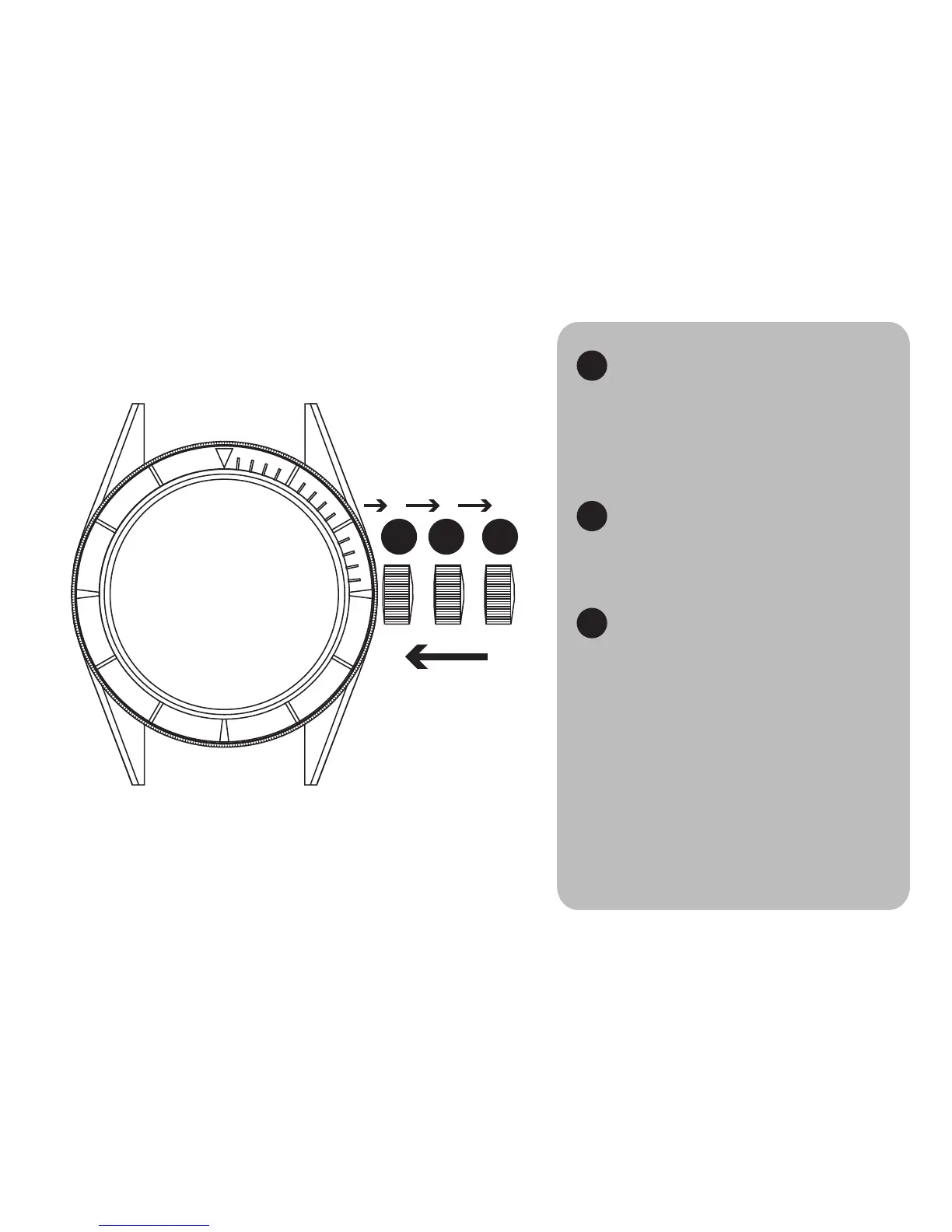
WINDING POSITION
Rotate the crown counter-clockwise to unscrew it. The
crown will “pop” out once fully unscrewed. Rotate clock-
wise to wind the watch. 40 turns will bring it to a full-wind
state.
DATE SET POSITION
Gently pull out the crown to Position 2 to and turn
counter-clockwise to advance the date.
Note: please do NOT set the date between 10 PM and 2
TIME SET POSITION
Gently pull out the crown to Position 3 to set the time.
Turn the crown clockwise to set the time forward.
SECURING THE CROWN
Push the crown back in only once. Keep pressure on the
crown until you can feel the crown threads catch. Turn clock-
wise to screw back in.
NOTE:
Please keep the crown secured when the watch is in use.
1
1
*click**pop*
UNSCREW FIRST
THEN PULL
THEN SCREW BACK IN
PUSH ONCE
*click*
SETTING THE TIME



 To Next Page