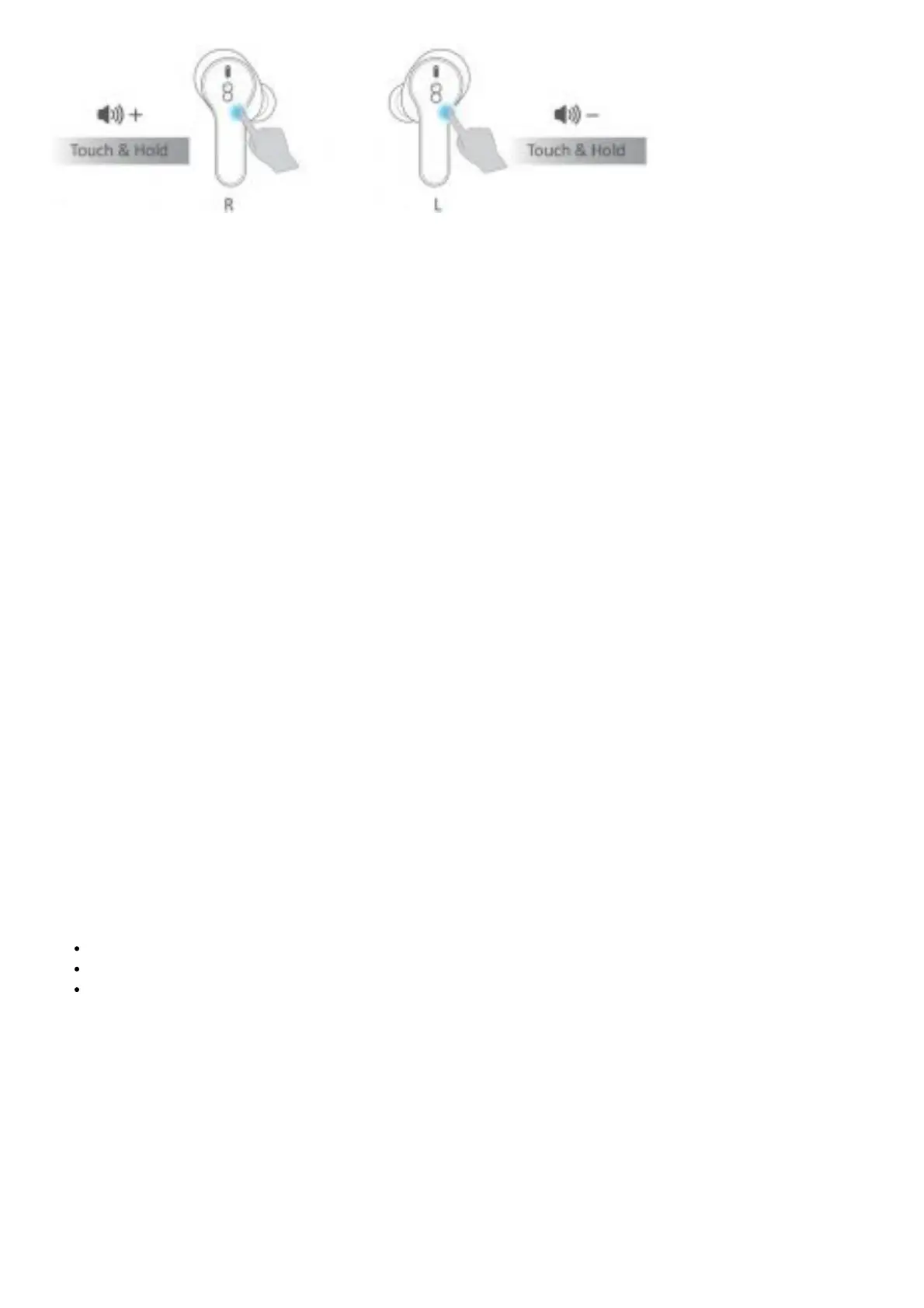
Note:- Above functions are not supported when the earphone is used in single mode. Prompt sound “Beep” will be
produced when the volume reach minimum or maximum level.
Single Mode
Single Mode Earphone
With Charging Case
1. Take out L/R earphone from the charging case.
2. Search Losei D65-L (or “Losei D65-R”) to connect.
Without Charging Case
1. Ensure both earphone are turn off.
2. Touch the L/R earphone for 2 seconds. Release when you hear prompt
sound “Pairing” with Blue & White light flash alternately.
3. Sear Losei D65-L (or “Losei D65-R”) to connect.
Note:
1. If you are using single mode, please choose the corresponding “Losei D65-L” or “Losei D65-R” to connect.
2. If you are using dual mode, please choose the master earphone “Losei D65-R” to connect.
3. If earphone fails to pair and connect with your phone, please forget all “Losei D65-R” & “Losei D65-L” first, then
restart the Bluetooth setting on your phone(deactivate and activate), now search Bluetooth and click the “Losei
D65 R” or “Losei D65 L” shown on your phone to connect.
4. If you can not use the 2 earphones at the same me, please reset them to factory settings, refer to the steps on
next page.
Factory Restore Setting
When should I do the reset?
When only one side play music.
When you can’t use the two earphones together.
When both earphones fail to pair with each other or occur connection related issues.
How to Reset?
1. Delete all “Losei D65” from the Bluetooth menu on your phone and deactivate the Bluetooth setting.
2. Put both earphones in the charging case and must remain charging.
3. Touch and hold the Touch Sensor Area of both earphones for 8 sec with Blue and White light flash three mes.
4. Take out both earphones from the charging case again.
5. Turn on the Bluetooth and search “Losei D65-R” to connect.



 To Next Page