Page 16 Lotek Biotracker Receiver User’s Manual
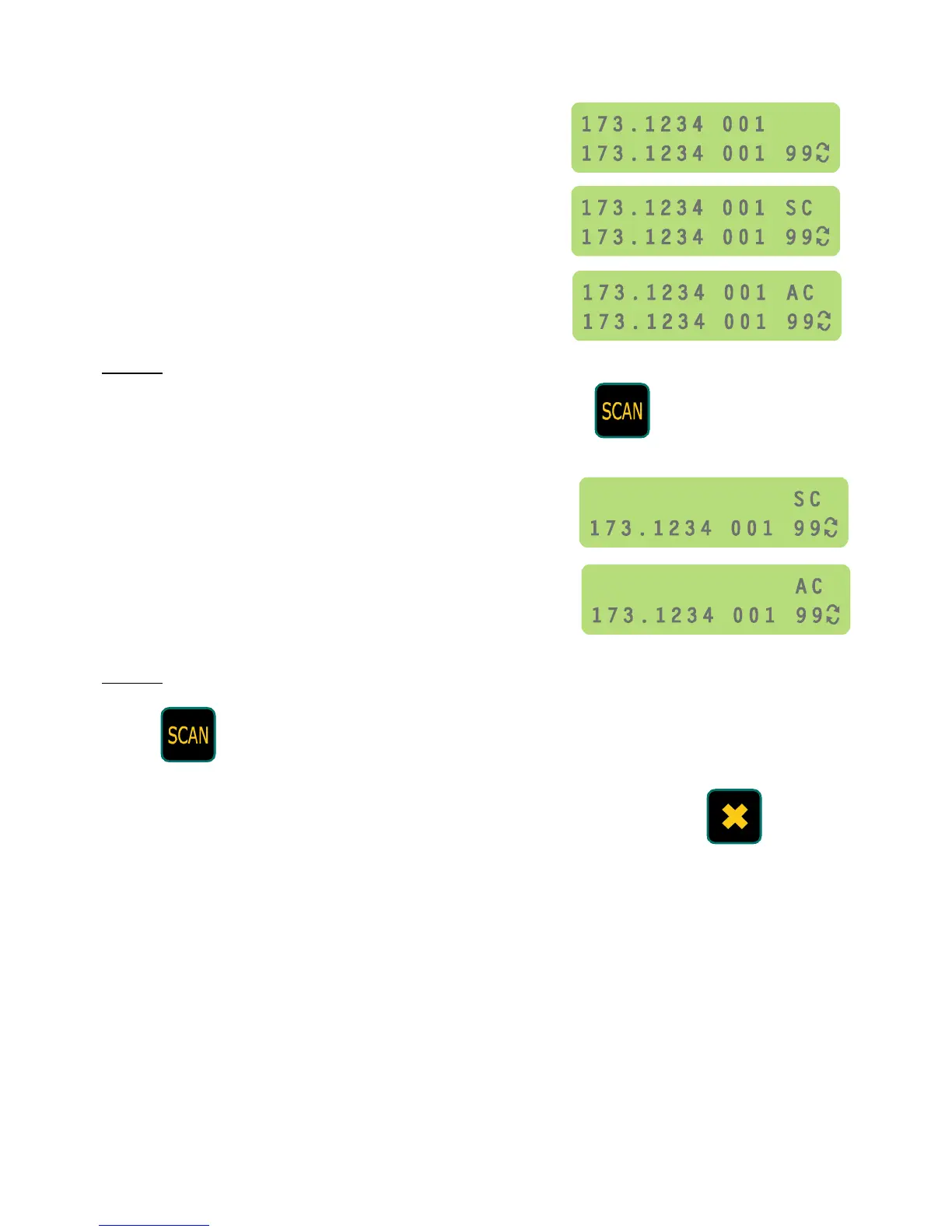
The following LCD diagrams show the characters displayed for the different selection
states:
Individual channel not selected
Individual channel selected
All channels selected
Step 4
When the channels to be scanned have been selected, press to start the
scanning process.
When only selected channels are being
scanned the top line of the display shows ‘SC’.
When all channels are being scanned the top
line of the display shows ‘AC’.
Step 5
Press to stop scanning and enter Channel Mode with the receiver set to the
last channel scanned.
Alternatively, to stop scanning and enter Channel Mode with the receiver
set to the channel used when the receiver was last in Channel Mode, press



 To Next Page