EasyManua.ls Logo

LOTRONIC BOOST-STUPDJ20 - User Manual

LOTRONIC BOOST-STUPDJ20
20 pages
Print Icon
To Next Page IconTo Next Page
Loading...
Ref. BOOST-STUPDJ20
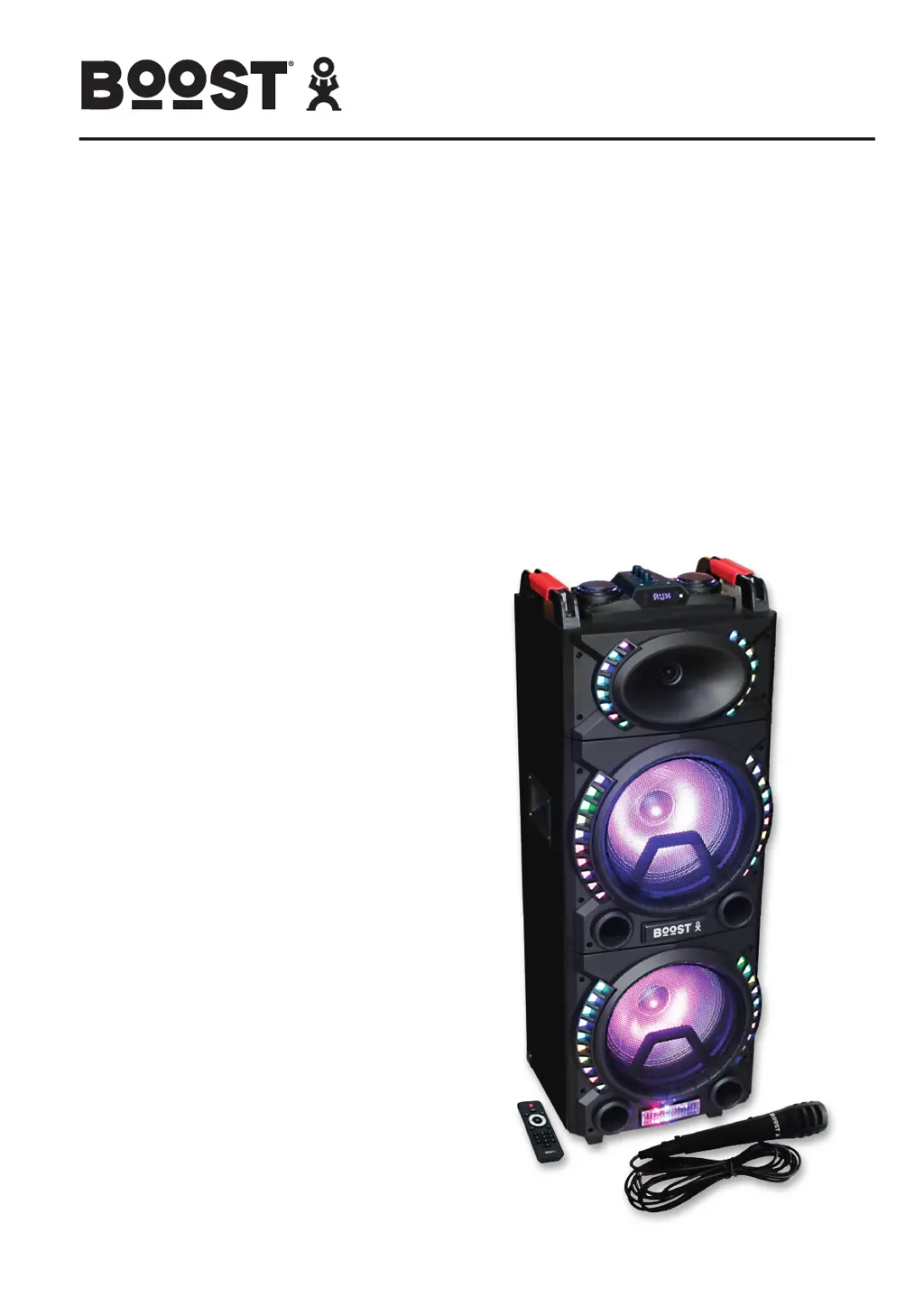
LED-ILLUMINATED BOX 2 X 10”/25CM 500W
WITH USB, BLUETOOTH & MIC
ENCEINTE DJ A LED 2 X 10”/25CM 500W
avec USB, BLUETOOTH et MICRO
DJ BOX 2 X 10”/25CM 500W
MET USB, BLUETOOTH & MICROFOON
BAFLE DJ CON LED 2 X 10”/25CM 500W
CON USB, BLUETOOTH Y MICRO
DJ BOX MIT LED-BELEUCHTUNG 2 X 10”/25CM 500W
MIT USB, BLUETOOTH & MIKROFON
USER MANUAL
FR - MANUEL D’UTILISATION - p. 6
DE - MANUEL D’UTILISATION - p. 10
NL - HANDLEIDING - p. 14
ES - MANUAL DE USO - p. 18

Questions and Answers

  • A
    Alicia GarzaAug 4, 2025
    Why does my LOTRONIC BOOST-STUPDJ20 have no sound when turned on?
    • K
      Kristina SanchezAug 5, 2025
      If your LOTRONIC Speaker System has no sound when turned on, there are several potential causes: * The power cord might not be properly connected. Ensure that the power cord is securely plugged in. * The mains outlet could be faulty. Try using a different outlet that you know is working. * There may be no input source connected. Connect an input source to the speaker system. * The volume might be set to the minimum. Adjust the volume to a suitable level.
  • T
    Tommy TrevinoAug 12, 2025
    What to do if my LOTRONIC BOOST-STUPDJ20 has distorted sound?
    • M
      Maria GarciaAug 12, 2025
      If you are experiencing distorted sound from your LOTRONIC Speaker System, it could be due to the master volume being set too high. Try reducing the volume to see if that resolves the issue. Alternatively, the speaker itself might be damaged. Check the speaker for any signs of damage.
  • G
    gjacksonAug 19, 2025
    How to fix no sound from karaoke on LOTRONIC Speaker System?
    • K
      Kerry BonillaAug 19, 2025
      If there is no sound from the karaoke function on your LOTRONIC Speaker System, consider the following: 1. Ensure the microphone plug is fully and firmly inserted into the socket. 2. Verify that the microphone is switched on. 3. Check the microphone volume and increase it if it is set to the minimum.
  • J
    johnsondonnaAug 28, 2025
    What to do if there is no sound from MP3 source on LOTRONIC BOOST-STUPDJ20 Speaker System?
    • L
      Lori GutierrezAug 28, 2025
      If your LOTRONIC Speaker System is not playing sound from an MP3 source, it could be due to an unsupported file format. Try converting the file to MP3 format. It could also be due to an illegal copy; in that case, properly insert the USB/TF source.

Summary

General Safety Precautions

General Safety Precautions

Essential safety guidelines for appliance operation, handling, and placement to prevent hazards.

Remote Control Operation

Guidelines for operating the remote control effectively and troubleshooting common issues.

Battery Safety and Disposal

Important information on battery handling, disposal, and critical safety warnings.

Product Controls and Functions

Remote Control Functions

Detailed list of functions and operations available via the remote control.

Top Panel Controls

Description of physical controls and input/output ports on the top panel.

Microphone Recording Feature

Explanation of the built-in recording function for microphone sound.

Operational Modes and Troubleshooting

USB;TF and Bluetooth Operation

Instructions for operating the speaker via USB/TF card and Bluetooth connectivity.

AUX Input Mode

Guidance on connecting and playing audio through the AUX input.

Troubleshooting Common Issues

Table of problems, possible causes, and solutions for common operational issues.

Compliance and Declarations

EU Declaration of Conformity

Official declaration confirming the product's compliance with EU directives and standards.

LOTRONIC BOOST-STUPDJ20 Specifications

General IconGeneral
BrandLOTRONIC
ModelBOOST-STUPDJ20
CategorySpeaker System
LanguageEnglish